

Transform your freelance writing career by mastering today’s essential virtual collaboration tools. In our increasingly remote work environment, the right digital tools don’t just connect us—they amplify our creative potential and streamline our workflow. Whether you’re crafting content with a global team or managing multiple client projects, modern collaboration platforms have become as crucial as your writing skills.
Canadian writers now leverage these digital workspaces to secure better contracts, deliver polished content faster, and build stronger professional relationships across time zones. From real-time document editing to seamless client feedback systems, these tools create a virtual office that works on your terms.
The landscape of freelance writing has evolved, and with it, the technology that powers our success. Let’s explore the collaboration tools that successful writers use to stay competitive, meet deadlines, and grow their businesses—all while maintaining the flexibility that drew them to freelancing in the first place.
Essential Communication Platforms for Writers
Real-Time Messaging Solutions
Real-time messaging platforms have become the backbone of successful remote collaboration, with tools like Slack and Microsoft Teams leading the way. These platforms offer instant communication that feels as natural as chatting with colleagues in an office break room.
Slack has become particularly popular among freelance writing teams for its intuitive channel organization. You can create separate channels for different projects, clients, or writing topics, keeping conversations focused and easily searchable. The platform’s ability to integrate with other tools like Google Docs and Trello makes it a powerful hub for your writing workflow.
Microsoft Teams, while traditionally associated with corporate environments, offers robust features that benefit freelance writing teams too. Its video calling capabilities are seamlessly integrated with chat, and the ability to edit documents directly within conversations can streamline your revision process.
Both platforms offer free versions that work well for individual writers or small teams, with paid options available as your collaboration needs grow. The key is choosing the platform that best matches your working style and client preferences.
Video Conferencing Tools
Video conferencing has become the backbone of remote writing collaborations, making it essential to choose the right platform for your needs. Zoom remains a favorite among freelance writers, offering reliable connections and features like screen sharing – perfect for walking clients through your portfolio or discussing editorial changes in real-time.
For writers working with small teams, Google Meet provides seamless integration with Google Docs and Calendar, making it easier to schedule and conduct editorial meetings. The platform’s chat feature allows for quick sharing of links and references during discussions.
Microsoft Teams shines when collaborating with corporate clients, offering robust file sharing and chat features alongside video calls. Many publishing houses and content agencies use Teams, so familiarity with this platform can be a valuable asset.
For quick catch-ups with fellow writers or informal client meetings, Skype offers a user-friendly alternative. Its instant messaging feature helps maintain continuous communication between video sessions.
Pro tip: Regardless of your chosen platform, invest in a good microphone and ensure proper lighting – professional presentation can make a significant difference in client relationships.

Project Management Tools That Streamline Your Writing Process
Task Management Platforms
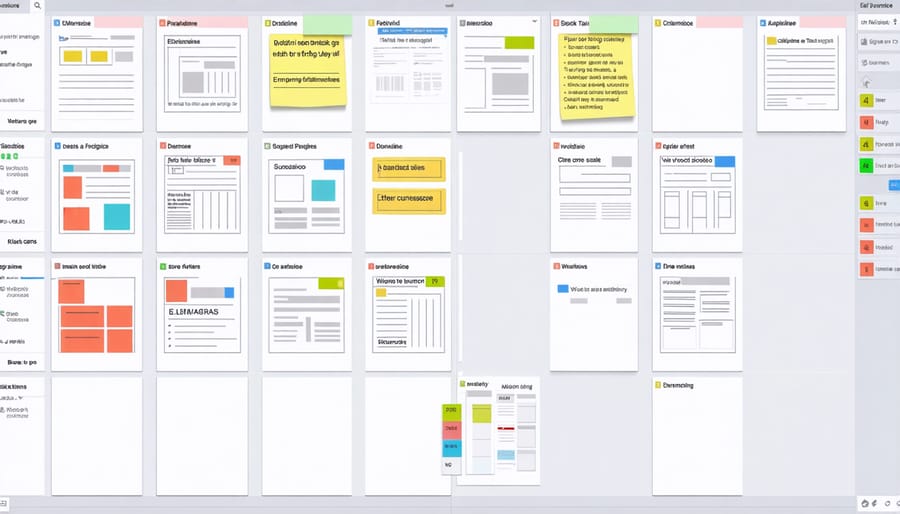
Task management platforms have become essential tools for freelance writers juggling multiple projects and deadlines. Trello, with its intuitive card-based system, lets you create visual boards that represent different writing projects. You can drag and drop tasks between columns like “Ideas,” “In Progress,” and “Completed,” making it easy to track your assignments at a glance.
Asana takes project management to the next level with features specifically beneficial for writers working with teams. You can set up editorial calendars, assign tasks to collaborators, and track revisions all in one place. Many Canadian writers find Asana particularly useful for managing content creation pipelines and meeting publication deadlines.
Monday.com offers another excellent option, with customizable templates designed for content creation workflows. Its timeline view helps you visualize project deadlines and dependencies, while the workload view ensures you’re not overcommitting yourself.
For simpler needs, ClickUp provides a happy medium with its user-friendly interface and powerful features like document storage and time tracking. The free versions of these platforms often provide enough functionality for individual writers, while paid versions unlock additional features perfect for managing larger writing teams or complex projects.
Remember, the best platform is the one that matches your workflow – don’t be afraid to try several before settling on your perfect fit.
Time-Tracking Solutions
Keeping track of your writing time isn’t just about meeting deadlines – it’s essential for billing clients accurately and understanding your productivity patterns. Popular time-tracking tools like Toggl and RescueTime have become go-to solutions for freelance writers across Canada, offering both free and premium features to suit different needs.
Toggl stands out with its one-click timer and detailed reporting capabilities. You can categorize different writing projects, track billable hours, and generate professional reports for clients. The tool’s clean interface makes it particularly appealing for writers who want to focus on their work without complicated setups.
For those seeking deeper insights, RescueTime automatically monitors your writing activities in the background. It provides detailed analytics about your most productive hours and potential distractions, helping you optimize your writing schedule.
Clockify offers a generous free plan that’s perfect for writers just starting their freelance journey. Its project-based tracking system helps you understand how much time you spend on research, writing, and editing – crucial data for pricing your services fairly.
Remember to choose a time-tracking solution that feels natural to your workflow. The best tool is one you’ll actually use consistently, so take advantage of free trials to find your perfect match.
Document Collaboration Solutions
Cloud-Based Writing Platforms
Cloud-based writing platforms have revolutionized how freelance writers collaborate with clients and fellow writers. Google Docs leads the pack as the go-to choice for many Canadian writers, offering real-time collaboration that makes the revision process smooth and efficient. You can work on documents simultaneously with your clients, tracking changes and leaving comments without the hassle of sending multiple file versions back and forth.
Success story: Toronto-based writer Sarah Mitchell shares how she uses Google Docs to manage content projects with clients across different time zones. “The comment feature has transformed my revision process. Clients can highlight specific sections and leave detailed feedback, and I can address their concerns right away.”
Other notable platforms include Microsoft Office 365’s Word Online and Zoho Writer, which offer similar collaborative features. These tools include version history, making it easy to track changes or revert to previous drafts if needed. For writers working with multiple clients, these platforms also provide secure sharing options, letting you control who can view or edit your documents.
Pro tip: Create templates for common document types you use regularly, such as pitch letters or article outlines. Store these in your cloud platform of choice for quick access and consistent formatting across all your projects. This simple step can save you hours of formatting time each month and maintain a professional appearance in all your client interactions.

Version Control and File Sharing
For freelance writers, reliable version control and file sharing systems are absolute game-changers. Google Drive stands out as a go-to solution, offering seamless document versioning that lets you track changes and revert to previous drafts when needed. It’s particularly handy when collaborating with editors who might request multiple revisions.
Dropbox is another fantastic option, especially for handling larger files like multimedia content or extensive research materials. Its selective sync feature helps you manage storage space efficiently while keeping your work accessible across devices.
For more technical writing projects or when working with development teams, GitHub can be surprisingly useful. While traditionally associated with coding, its version control capabilities work wonderfully for managing documentation and content iterations.
When sharing sensitive client materials or confidential drafts, consider using secure platforms like Box or SharePoint. These services offer enhanced security features and customizable access controls, ensuring your work remains protected while still being easily accessible to authorized team members.
Pro tip: Always maintain a clear file naming convention when using these tools. Something like “ProjectName_Draft1_Date” helps everyone stay organized and prevents confusion during collaborative projects. Also, take advantage of automatic backup features to protect your work – there’s nothing worse than losing hours of writing to a technical glitch.
Remember to familiarize yourself with the sharing settings on your chosen platform to avoid accidentally making private content public. A quick settings check before sharing can save you from potential headaches down the road.
Making These Tools Work for Your Writing Business
Making these virtual collaboration tools work for your freelance writing business doesn’t have to be complicated. Start by identifying your most pressing needs – whether that’s project management, document sharing, or team communication. Choose one tool at a time and gradually integrate it into your daily routine.
Set aside time to learn each tool’s basic features before diving into advanced functions. Many platforms offer free tutorials or training videos that can help you master the essentials. Create templates and workflows that match your writing process, and don’t be afraid to customize settings to suit your specific needs.
Remember that balancing your writing workflow is crucial when implementing new tools. Start with a trial period to ensure the tool actually enhances your productivity rather than creating additional work.
Establish clear protocols for how you’ll use each tool with clients. Create a simple guide explaining your preferred communication methods and file-sharing procedures. This professionalism will impress clients and streamline collaboration.
Consider investing in paid versions of tools you use frequently – the additional features and storage often pay for themselves through increased efficiency. However, stick to free versions while testing new tools to ensure they’re worth the investment.
Regularly evaluate your tool stack and don’t hesitate to switch solutions if something isn’t working. The goal is to enhance your writing business, not complicate it.
Virtual collaboration tools have revolutionized the way freelance writers work, making it easier than ever to connect with clients, manage projects, and deliver quality content from anywhere. By embracing these digital solutions, you’re not just keeping up with industry trends – you’re setting yourself up for sustainable success in the competitive writing market. From real-time document editing to seamless communication platforms, these tools help you maintain professional relationships, meet deadlines consistently, and showcase your reliability to clients. The efficiency gained through virtual collaboration means more time for actual writing and creative work, leading to increased productivity and earning potential. As remote work continues to grow, mastering these tools will remain essential for thriving in your freelance writing career. Remember, the right combination of collaboration tools can transform your writing business from good to exceptional, helping you build a reputation as a tech-savvy professional who delivers results.