

You can learn to program virtual reality applications in six to twelve months, even with a writing background and no prior coding experience. The path requires three core skills: a programming language (usually C# or JavaScript), a VR development platform (Unity or Unreal Engine), and basic 3D design principles. Writers bring unique advantages to VR programming because storytelling, spatial thinking, and user experience design matter just as much as technical syntax.
The demand for VR content creators has surged across Canada, particularly in education, healthcare simulation, and immersive journalism. Freelance writers who add VR programming to their skill set report landing projects that pay 40 to 60 percent more than traditional content work. The learning curve feels steep at first, but the process mirrors how you learned to write: start with fundamentals, practice daily, study examples, and build your portfolio one project at a time.
What makes VR programming accessible in 2026 is the ecosystem of free tools and supportive communities. You don’t need expensive equipment to start. A mid-range computer and a budget VR headset (or even just your browser for WebVR projects) will get you building interactive experiences within weeks. Many Canadian writers have made this transition successfully, starting with simple 360-degree story environments and progressing to full interactive narratives.
This guide walks you through the exact steps: what tools to install, how to set up your first project safely, the learning sequence that works for non-technical creatives, and how to verify your skills are market-ready. You’ll also find practical advice on finding your first VR programming clients as a freelance writer.
Why Freelance Writers Should Consider VR Programming
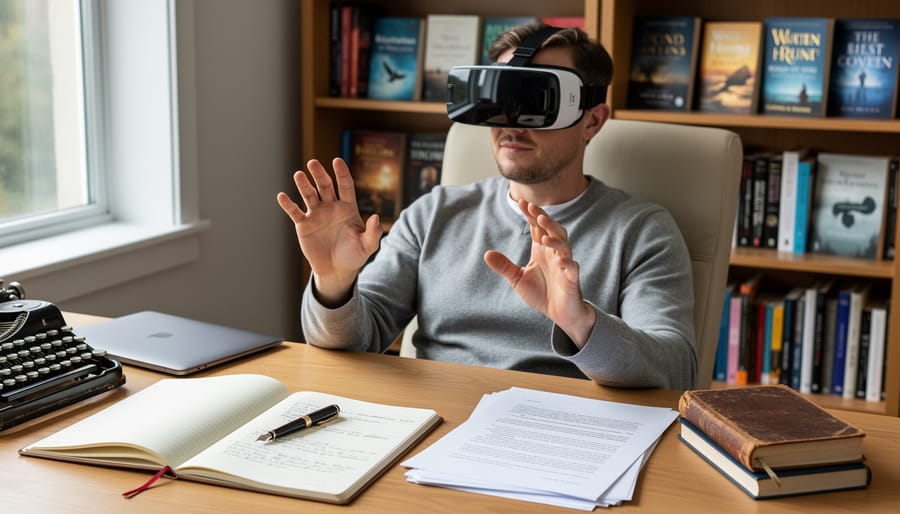
VR programming represents one of the most exciting expansions for freelance writers because it merges two disciplines that are increasingly inseparable: compelling narrative and interactive technology. While traditional writing places words on a page or screen, VR programming lets you craft stories that surround your audience, where readers become active participants in the worlds you create.
The shift from flat content to immersive experiences opens three major opportunities for writers. First, storytelling in immersive environments requires someone who understands narrative arc, emotional pacing, and character development, skills you already have. VR experiences need writers who can design how a story unfolds across physical space, not just across time. Second, scriptwriting for VR experiences differs from film or television because users control where they look and how they move. You’re writing for agency and exploration, crafting dialogue and scenarios that adapt to user choices. Third, training simulations and educational VR content need clear, engaging instructional writing that guides learners through complex procedures or soft-skill scenarios.
The market reflects this growing intersection. Corporate training budgets for VR content increased 340% between 2023 and 2025, and that trajectory continues through 2026. Companies need writers who can both script the content and implement it in VR platforms. Freelancers with this dual capability command rates 60-120% higher than traditional content writing, with experienced VR content creators earning $75-150 per hour for Canadian clients. Healthcare, real estate, education, and corporate training sectors are actively hiring, and many prefer freelancers over agencies for smaller, specialized projects.
Tools and Materials You’ll Need
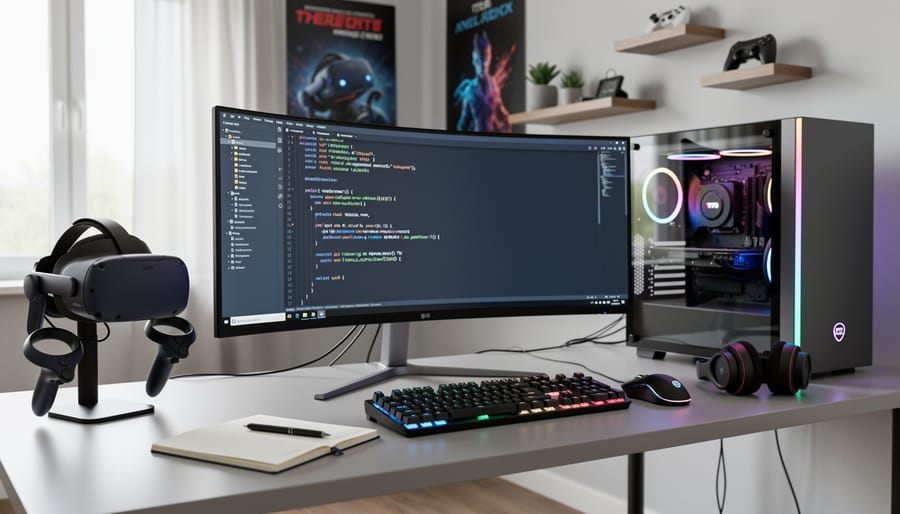
Getting started with VR programming requires some upfront investment, but you don’t need to break the bank. Think of it as building a specialized toolkit that’ll serve you for years as you create immersive experiences.
Your hardware foundation begins with a VR headset. The Meta Quest 3 offers the best entry point for beginners at around $500 CAD, it’s standalone, doesn’t require a powerful gaming PC, and doubles as a testing device for your projects. If you’re on a tighter budget, the Quest 2 still works well for learning and development. For more advanced work down the line, PC-tethered headsets like the Valve Index provide higher fidelity, but they require a gaming-capable computer (expect $1,500+ CAD for the PC alone).
Speaking of computers, you’ll need decent processing power. A mid-range laptop with 16GB RAM, a dedicated graphics card, and an SSD will handle Unity comfortably. Mac users can develop for VR, though Windows machines offer broader compatibility with development tools.
- Hardware: VR headset (Meta Quest 3 recommended), computer with 16GB+ RAM and dedicated GPU, comfortable workspace with 6×6 feet of clear space for testing
- Software platforms: Unity (free Personal license) or Unreal Engine (free until you earn $1 million), Visual Studio or Visual Studio Code (free), Git for version control (free)
- Learning resources: Unity Learn (free official tutorials), Udemy VR development courses ($15-30 CAD on sale), Coursera VR specializations (audit free or $50-80/month), YouTube channels like Valem and Justin P Barnett (free)
- Optional extras: 3D modeling software like Blender (free) for creating custom assets, audio editing tools like Audacity (free), stock asset marketplaces like Unity Asset Store for pre-made environments
For software, Unity remains the most writer-friendly option. Its free Personal license includes everything you need to build and publish VR experiences. You’ll code in C#, which has gentler learning curves than C++. Unreal Engine offers stunning visuals but demands more technical expertise upfront.
Budget around $500-800 CAD minimum to get started properly, headset, potential computer upgrades, and a couple of paid courses. Many successful VR developers began with exactly this setup, then upgraded as paying projects came in. The initial investment pays for itself quickly once you land your first VR writing gig at $50-100/hour rates.
Safety and Best Practices
Working with VR involves three distinct safety dimensions: protecting your body during development and testing, safeguarding your work, and securing your professional interests.
Physical Safety in Your Workspace
Before you put on a headset, clear a testing area of at least 6×6 feet. Remove furniture, pets, cables, and anything you might trip over or knock into while immersed. Soft carpeting helps cushion accidental falls. Always use your VR system’s boundary feature (Guardian on Meta Quest, Chaperone on SteamVR) to mark safe zones.
Motion sickness hits hardest when your visual system and inner ear disagree, common when learning to program smooth locomotion or rapid scene transitions. Start with stationary experiences and gradually build tolerance. Some developers never fully adapt to certain movement types, which is fine; you can design around it.
Digital Safety Practices
Back up your project files daily to cloud storage and an external drive. VR projects are large (often several gigabytes), and losing hours of work to a corrupted file is crushing. Learn Git version control early, even basic commits save you when experimental code breaks everything. Unity and Unreal both integrate with Git, and free tutorials will get you functional in an afternoon.
Professional Safety Measures
Establish clear contracts before starting VR projects. Define deliverables precisely (supported headsets, scene count, interaction types) because “a VR experience” means vastly different things to different clients. Specify revision limits, VR changes take longer than text edits. Address intellectual property ownership upfront: who owns the final experience, the assets, the code? For Canadian freelancers, consider having a lawyer review your standard VR contract template once; it’s worth the investment for projects typically worth $2,000, $10,000.
Manage client expectations about timelines. VR development takes longer than most writing projects. A simple interactive narrative might need 40-60 hours compared to 8-10 hours for a comparable written piece.

Step-by-Step Process to Start Programming VR
Step 1: Choose Your Development Platform
Your first major decision is picking a development platform, and for most writers, Unity is the clear winner. Unity uses C#, a language with gentler syntax than C++, and its massive library of tutorials means you’ll rarely get stuck. The platform also handles VR-specific features like headset tracking and controller input with pre-built tools, so you can focus on crafting your narrative rather than wrestling with hardware compatibility.
Unreal Engine produces stunning photorealistic visuals and powers many AAA VR games, but it demands C++ knowledge and a steeper learning curve. If your goal is creating immersive experiences for clients, whether that’s virtual training modules or green storytelling experiences about climate solutions, Unity lets you prototype faster and learn incrementally.
Most freelance VR developers recommend Unity for beginner VR dev work because its asset store offers free environments, character models, and narrative frameworks you can customize. Download Unity’s Personal edition (free for earnings under $100,000) and commit to this single platform for your first six months. Switching later is possible, but mastering one toolset first builds the foundation you actually need to start landing projects.
Step 2: Learn the Basics of Your Chosen Programming Language
Once you’ve chosen Unity, you’ll need basic C# knowledge to bring your VR stories to life. The good news? You don’t need a computer science degree. Writers have a distinct advantage here, you already think in logic and structure through plotting and narrative flow.
Start with Microsoft’s free C# fundamentals course or freeCodeCamp’s beginner tutorials on YouTube. Focus on understanding variables (think of them as placeholders for information), conditional statements (if-then logic you use in branching stories), and functions (reusable blocks of code). These three concepts cover 80% of what you’ll use initially.
Dedicate 30-45 minutes daily for three weeks. Use a notebook to translate coding concepts into writing terms, a variable is like a character name you reference throughout your story, a loop is repetition with variation.
You’re not aiming to become a software engineer. Your goal is functional literacy: enough C# to script a door opening when players approach, trigger dialogue at specific moments, or change scenes based on user choices. Your storytelling instincts will guide the “what” and “why”; C# simply provides the “how.”
Step 3: Complete Beginner VR Tutorials
Once you’ve grasped C# fundamentals, shift your focus to VR-specific tutorials that teach how virtual environments actually work. Generic programming courses won’t cover the unique challenges of 3D space, user interaction through hand controllers, or creating audio that responds to where users turn their heads.
Start with these tutorials in sequence:
- Unity’s official “VR Beginner: The Escape Room” tutorial (6-8 hours), teaches object interaction, teleportation movement, and basic UI in VR
- Valem’s YouTube series on VR hand interactions (4-5 hours), covers grabbing, throwing, and manipulating objects naturally
- FreeCodeCamp’s spatial audio fundamentals course (3 hours), explains how sound changes based on user position and rotation
- Unity Learn’s “Create with VR” pathway (10-12 hours), builds a complete scene with environmental storytelling elements
- Brackeys’ beginner VR teleportation tutorial (2 hours), solves movement without causing motion sickness
Don’t rush through these. Actually build each project yourself rather than just watching videos. The muscle memory of placing objects in 3D space, testing on a headset, and debugging interaction problems is what transforms theoretical knowledge into practical skill. Expect to spend 25-30 hours total on this step, spread across several weeks. You’ll emerge understanding how users navigate virtual spaces and interact with story elements, knowledge no traditional writing course provides.
Step 4: Build Your First Simple VR Experience
Now comes the exciting part: building something tangible that showcases your storytelling skills. Start with a simple interactive narrative scene rather than a complex game. A virtual museum tour works perfectly because it lets you focus on spatial storytelling without worrying about complicated mechanics.
Open Unity and create a new 3D project. Import the XR Interaction Toolkit from the Package Manager, this gives you ready-made VR functionality. Begin by designing one room. Use free assets from the Unity Asset Store for basic objects like pedestals, frames, and ambient lighting. Writers often overthink this step, but your first scene doesn’t need photorealistic graphics.
Focus on what you do best: crafting compelling narrative moments. Place three to five interactive objects around your virtual space. When users look at or approach an object, trigger text panels or audio narration that tell a story. Write these descriptions as you would museum plaques, concise, evocative, layered with detail that rewards attention.
Add simple interactivity by scripting objects to respond when clicked. A basic C# script can make a painting glow when selected, or play an audio file when approached. Keep your code simple and commented, future clients will appreciate clean work.
Test your scene in VR frequently. Does the pacing feel right? Can users discover your narrative breadcrumbs naturally? This iterative process mirrors developmental editing, applying familiar skills in a new medium.

Step 5: Expand Your Skills with Advanced Features
Once you’ve completed your first VR experience, you can layer in features that make virtual environments truly compelling. Start with spatial audio, where sounds change realistically as users move through your scene. Unity’s audio spatializer and Unreal’s attenuation settings create immersive soundscapes that guide attention and build atmosphere.
Voice integration adds powerful interactivity. Tools like Microsoft Speech SDK and Google Cloud Speech-to-Text let users speak commands or responses. For freelance writers, this means crafting dialogue trees that respond to natural language, not just button presses.
Character animation brings your stories to life. You don’t need animation expertise, pre-made character rigs from Mixamo or the Unity Asset Store work perfectly. Focus on timing and blocking scenes like a director would.
Branching narratives suit VR particularly well. Create story paths that respond to where users look, what they touch, or how long they linger in spaces. Environmental storytelling, scattered documents, audio logs, visual details, lets users discover narrative at their own pace, respecting the exploratory nature of VR.
These advanced features transform basic scenes into memorable experiences that showcase your unique blend of technical and storytelling skills.
Step 6: Create a Portfolio Project
Your portfolio project should demonstrate both your writing strengths and technical VR capabilities in one cohesive experience. Choose a concept that plays to your storytelling skills, a 5-10 minute interactive narrative, an educational walkthrough, or a branching decision-based scenario works well. Focus on polish over complexity: better to have smooth interactions, clean visuals, and compelling writing in a simple environment than ambitious features that feel unfinished.
Include clear objectives the user must complete, meaningful choices that affect the experience, and environmental storytelling through visual details. Record a smooth playthrough video for clients without VR headsets, and create a brief case study document explaining your creative process, the tools used, and the narrative goals you achieved. This combination proves you can deliver complete, client-ready VR content.
How to Verify Your VR Programming Skills Are Market-Ready
Before you pitch your VR programming services to potential clients, you need objective proof that your work meets professional standards. The validation process ensures you won’t damage your reputation by delivering subpar experiences, and it gives you the confidence to command fair rates when you do start landing projects where you can make money with your new skills.
Start by joining VR development communities on Discord, Reddit (r/virtualreality, r/Unity3D), and specialized forums like the Unity Developer Community. Share your projects in feedback channels where experienced developers offer constructive criticism. These communities are surprisingly welcoming to newcomers who show genuine effort and ask specific questions rather than requesting free work.
Beta testing with real users is crucial because you’re too close to your own work to spot usability issues. Recruit at least five people unfamiliar with your project, fellow writers, friends, or online testers through platforms like UserTesting or BetaFamily. Watch them navigate your VR experience without guidance and note where they get confused, frustrated, or motion sick. Their struggles reveal exactly what needs fixing before client delivery.
Use this checklist to verify your project meets professional standards:
- Technical functionality, all interactive elements work without crashes or significant bugs
- User experience testing, navigation is intuitive and comfortable for VR newcomers
- Performance optimization, maintains smooth frame rates (minimum 72 fps) to prevent nausea
- Client-ready presentation, polished visuals, clear audio, and professional documentation
Request portfolio reviews from established VR developers or freelancers in adjacent fields who understand client expectations. They’ll assess whether your work demonstrates competence worth paying for. Consider submitting your best project to indie VR showcases or game jams for broader community feedback and potential exposure to clients seeking exactly your combination of writing and VR skills.
Finding Freelance VR Programming Opportunities
Once your skills are portfolio-ready, you’ll find VR programming opportunities through both traditional freelance channels and specialized VR platforms. Start by exploring general freelance marketplaces like Upwork and Freelancer, where VR content creation projects are increasingly common, search for terms like “VR narrative design,” “interactive storytelling VR,” or “educational VR content.” For more targeted opportunities, check VR-specific job boards such as VRJobsOnline and XR Jobs, which list positions from companies building immersive experiences. Canadian writers should monitor Indeed Canada and Workopolis using “virtual reality writer” and “VR content developer” as search terms, since many Canadian tech companies and educational institutions need VR content creators.
Don’t overlook your existing writing clients as a source of VR work. Reach out to past clients in education, training, marketing, or corporate communications with a brief pitch explaining how VR can enhance their content offerings, many haven’t considered VR but will be intrigued once you present possibilities like immersive training modules or interactive product demonstrations. Position VR as a natural evolution of your writing services rather than an entirely separate skill, emphasizing how your storytelling expertise translates directly into creating compelling VR narratives.
Networking within VR communities pays dividends. Join online groups like the Unity Developers community, VR/AR Association forums, and LinkedIn groups focused on immersive content creation. These spaces often share unadvertised opportunities and collaboration requests. Consider the sustainable niche angle too, environmental organizations and green tech companies increasingly use VR for education and advocacy, creating opportunities for writers passionate about combining technical skills with meaningful work. Cold outreach to VR development studios can work surprisingly well; many small studios need writers who understand both narrative craft and technical implementation, a rare combination that makes you immediately valuable.
Common Questions About Programming VR as a Freelancer
How long does it take to become proficient enough in VR programming to accept paid work? Most writers with no coding background need six to twelve months of consistent learning, dedicating 10-15 hours weekly, to build marketable VR programming skills. You won’t become an expert overnight, but you can start taking on simpler VR narrative projects within four to six months if you focus on one platform and learn systematically. The timeline depends entirely on your learning pace and how much time you can commit alongside your existing writing workload.
Do I need a computer science degree to program VR as a freelancer?
No formal technical education is required. Many successful VR developers are self-taught through online courses, tutorials, and hands-on practice. Your storytelling skills as a writer actually provide a unique advantage in creating compelling VR experiences.
How much can freelance writers realistically earn from VR programming projects?
Entry-level VR narrative projects typically pay between $2,000-$5,000 CAD, while more complex interactive experiences can command $8,000-$15,000 or more. As you build expertise and a portfolio, rates increase significantly, though income varies based on project scope and client budgets.
What’s the minimum equipment cost to start learning VR programming?
You can begin with just a computer capable of running Unity or Unreal Engine (around $1,000-$1,500 CAD for a suitable setup). A VR headset isn’t essential for initial learning but becomes necessary for testing, budget $500-$650 CAD for a Meta Quest 3.
Can I continue my regular freelance writing while learning VR programming?
Absolutely. Most writers treat VR as a gradual skill expansion rather than an immediate career shift. You can maintain your current writing income while dedicating evenings or weekends to VR learning, then slowly transition client work as opportunities arise.
Will learning VR programming help me keep existing writing clients?
Yes, offering VR capabilities can strengthen relationships with current clients exploring immersive content. You become more valuable to each freelance client by providing both traditional writing and emerging VR services, often leading to larger project contracts.
Is VR programming harder than learning a new writing style or format?
It requires different skills but isn’t inherently more difficult. If you’ve mastered screenwriting, technical writing, or interactive content, you already understand structure and user experience, core VR concepts. The programming syntax takes practice, but the learning curve is manageable with patience.
The compatibility question matters significantly for writers worried about abandoning their craft. VR programming doesn’t replace your writing, it enhances it by adding a technical dimension to your storytelling capabilities. You’ll still write scripts, dialogue, narrative structures, and educational content, just within three-dimensional interactive spaces instead of on flat pages. Many writers find the combination refreshing because it solves the creative challenge of making stories truly immersive while opening doors to industries that value both skills equally.
Learning to program virtual reality isn’t just possible for freelance writers, it’s a natural extension of your storytelling abilities. The immersive narratives you create in VR leverage the same skills that make you effective at crafting compelling articles, just in three-dimensional space instead of on a page.
The market for VR content continues expanding in 2026, with businesses seeking writers who understand both narrative structure and technical implementation. This dual expertise positions you ahead of pure programmers who lack storytelling instincts and traditional writers who haven’t embraced emerging platforms. The combination directly impacts your writer income potential, opening doors to higher-paying projects that typical writing gigs can’t match.
Start small. Build one simple interactive scene. You don’t need to master complex programming overnight, you need functional skills that serve your creative vision. Your existing strength is story, character, and engagement. VR programming gives you new tools to deliver those elements in ways that flat text never could.
The writers who thrive in the next decade won’t be those who resist technological change, but those who adapt their core talents to new mediums. VR programming is your opportunity to lead that shift.