

Transform your writing workflow with today’s powerful digital writing tools that streamline everything from drafting to publication. Whether you’re crafting client proposals, polishing blog posts, or managing multiple writing projects, the right digital toolkit can boost your productivity by 50% or more. Modern writing tools combine AI assistance, cloud collaboration, and automated editing to help freelancers deliver higher-quality work in less time.
Professional writers now leverage platforms like Scrivener for long-form content organization, Grammarly for real-time editing, and Notion for seamless project management. These tools don’t just correct spelling—they analyze tone, suggest improvements, and help maintain consistent style across all your writing projects. For Canadian freelancers looking to scale their business, mastering these digital solutions isn’t optional—it’s essential for staying competitive in today’s fast-paced content market.
Get ready to discover the most effective digital writing tools that will help you write faster, work smarter, and grow your freelance writing business with confidence.
Essential Writing and Editing Platforms
Word Processing Powerhouses
When it comes to professional writing tools that can help streamline your writing workflow, three powerhouses stand out: Google Docs, Microsoft Word, and Scrivener. Each brings unique strengths to your writing arsenal.
Google Docs shines with its collaborative features and cloud-based accessibility. You can work from anywhere, share documents instantly with clients, and never worry about losing your work. Plus, its commenting system makes client feedback a breeze.
Microsoft Word remains the industry standard, offering robust formatting options and professional templates. Its advanced editing tools, like Track Changes and the Editor feature, help polish your work to perfection. The offline capability ensures you can write even when internet connectivity is spotty.
For long-form projects, Scrivener is a game-changer. It helps organize research, outlines, and drafts in one place. The cork board feature lets you visualize your project structure, while the composition mode eliminates distractions. While it has a steeper learning curve, many writers find it invaluable for managing complex writing projects.
Each tool integrates seamlessly with other writing apps, making it easy to maintain a professional workflow regardless of your chosen platform.
Grammar and Style Enhancement Tools
Grammar mistakes and style inconsistencies can cost you clients and damage your professional reputation. Thankfully, several powerful tools can help polish your writing to perfection.
Grammarly leads the pack with its comprehensive approach to writing enhancement. The free version catches basic spelling and grammar issues, while the premium version offers advanced suggestions for tone, clarity, and engagement. Many Canadian writers find Grammarly’s dialect settings particularly helpful when switching between Canadian, American, and British English for different clients.
ProWritingAid goes beyond basic grammar checking by providing detailed writing analytics and style suggestions. It excels at identifying repeated phrases, passive voice, and complex sentences that might slow down your readers. The tool’s in-depth reports can help you develop a more consistent writing style across all your projects.
The Hemingway Editor focuses on making your writing clear and bold. It highlights complex sentences, passive voice, and hard-to-read passages, helping you craft more direct and impactful content. This tool is especially valuable when writing web content, where readability is crucial.
For best results, consider using a combination of these tools. Each has its strengths, and together they create a powerful system for ensuring your writing meets professional standards.
Project Management and Organization Tools
Task Management Solutions
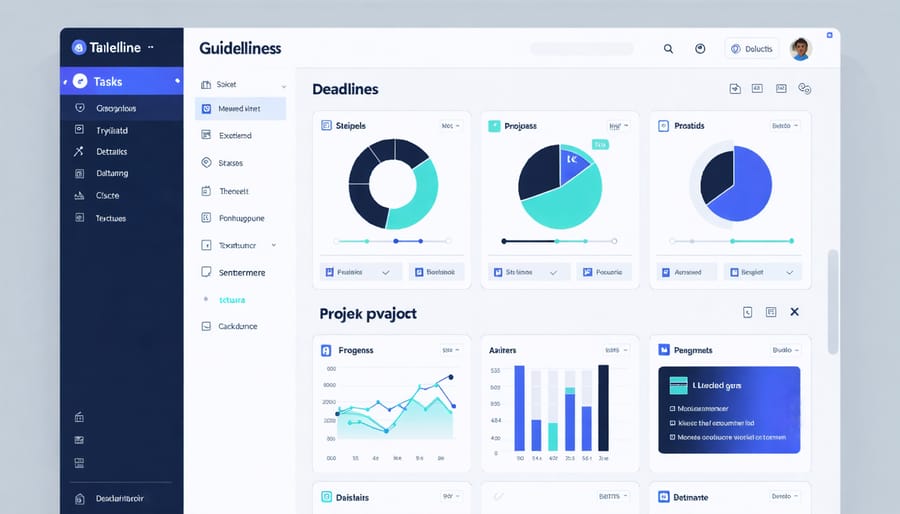
Staying organized is crucial for freelance writers juggling multiple projects, and that’s where task management tools come in handy. Trello offers a visual, board-based approach that’s perfect for writers who prefer to see their workflow at a glance. With its drag-and-drop interface, you can easily move article cards from “In Progress” to “Ready for Review” columns, keeping your writing schedule on track.
Asana takes organization to the next level with features specifically beneficial for writers working with teams or managing complex content calendars. You can set up editorial calendars, track article deadlines, and collaborate with clients all in one space. The timeline view is particularly helpful for mapping out long-term writing projects.
For simpler needs, Monday.com provides a streamlined experience that’s great for solo writers. Its customizable templates help you track everything from pitch status to invoice payments. ClickUp is another fantastic option, offering writing templates and goal-tracking features that help you maintain consistent output.
Remember, the best task management tool is the one you’ll actually use consistently. Start with a free trial to find the platform that fits your working style.
Time Tracking and Invoicing
Keeping track of your time and managing invoices efficiently is crucial to help you maintain strong client relationships and run a successful freelance writing business. Toggl is a fantastic time-tracking tool that lets you monitor how long you spend on different writing projects with just one click. Its clean interface and detailed reports help you understand your productivity patterns and price your services more accurately.
For invoicing, FreshBooks stands out as a user-friendly solution tailored for freelancers. It allows you to create professional-looking invoices in minutes, track expenses, and even accept online payments from clients. The platform also includes time-tracking features that integrate seamlessly with your invoices, making it easier to bill accurately for your work.
Both tools offer free plans to get started, with affordable upgrades as your business grows. By implementing these tools in your workflow, you’ll spend less time on administrative tasks and more time focusing on what matters most – creating excellent content for your clients.
Research and Content Enhancement Tools
Research Assistants
In today’s digital age, staying organized with your research is just as important as the writing itself. Evernote stands out as a powerhouse for writers, letting you clip web articles, save images, and jot down quick notes that sync across all your devices. Think of it as your digital filing cabinet where every piece of research is just a quick search away.
Pocket is another game-changer for busy writers. When you spot an interesting article but don’t have time to read it, simply save it to Pocket for later. The best part? It works offline, so you can catch up on your reading during commutes or coffee breaks.
For more specialized research needs, consider Zotero. It’s particularly helpful when working on long-form content or articles requiring citations. You can save entire web pages, PDFs, and academic papers, complete with bibliographic information.
Google Keep offers a lighter alternative for quick note-taking and research collection. Its simple interface and seamless integration with other Google tools make it perfect for writers who prefer a streamlined approach.
Remember to develop a consistent system for tagging and organizing your research materials. Whether you choose one tool or combine several, the key is maintaining a structure that helps you find what you need when you need it. Many successful writers swear by the “capture everything, organize later” approach, ensuring no valuable information slips through the cracks.
SEO and Content Optimization
In today’s digital landscape, making your content discoverable is just as important as creating it. Several powerful tools can help boost your content’s visibility and engage more readers. Yoast SEO, a popular WordPress plugin, guides you through optimizing your blog posts with actionable suggestions for improving readability and search engine performance.
For keyword research, SEMrush and Ahrefs provide valuable insights into what your target audience is searching for. These tools help you identify trending topics and discover gaps in the market that you can fill with your content. Many Canadian writers have found success using AnswerThePublic to understand what questions their readers are asking about specific topics.
Clearscope and MarketMuse are excellent for content optimization, comparing your writing against top-performing articles in your niche. They provide recommendations for keywords, topics, and headings that can improve your content’s search rankings.
Don’t overlook readability tools like Hemingway Editor and Grammarly’s content scores. These tools ensure your writing is clear and accessible, which search engines increasingly value. Remember, optimized content isn’t just about keywords – it’s about creating valuable, reader-friendly material that naturally attracts and retains attention.
For social media optimization, tools like Buffer and Hootsuite help schedule and track content performance across platforms, ensuring your writing reaches the widest possible audience at the right time.

Collaboration and Communication Platforms
In today’s digital writing landscape, effective collaboration tools are essential to help manage remote writing teams and maintain clear communication with clients. Google Workspace stands out as a versatile option, offering real-time document sharing, commenting features, and seamless version control through Google Docs. Many Canadian writers find it invaluable for collaborative projects and client reviews.
Slack has become the go-to platform for team communication, with its organized channels, direct messaging, and file-sharing capabilities. It’s particularly useful for writers working with multiple clients or as part of larger content teams. The free version offers plenty of features to get started.
For project management, Trello and Asana help writers stay organized with visual boards and task lists. These tools make it easy to track project progress, set deadlines, and share updates with clients. Trello’s card-based system is especially popular among freelancers for its simplicity and flexibility.
For video meetings and client presentations, Zoom and Microsoft Teams provide reliable platforms for face-to-face interactions. These tools have become essential for pitch meetings, content planning sessions, and regular check-ins with clients.
Many successful writers combine these platforms based on their specific needs and client preferences. The key is choosing tools that streamline workflow without creating unnecessary complexity.
Embracing digital writing tools can transform your freelance writing career from good to exceptional. These tools not only streamline your workflow but also help you deliver higher-quality work more consistently. By incorporating writing assistants, project management platforms, and productivity tools into your daily routine, you’ll find yourself meeting deadlines more easily and impressing clients with polished content.
Start small by choosing one or two tools that address your most pressing needs. Whether it’s improving your grammar, organizing your projects, or tracking your time, implementing these solutions gradually will help you build a sustainable digital workflow. Remember, the goal isn’t to use every tool available, but to create an efficient system that works for you.
As you grow more comfortable with your chosen tools, experiment with new ones to further enhance your writing business. Your investment in these digital solutions will pay dividends in both time saved and increased earning potential.