

Treat your documentation like software code by storing it in version control systems like Git, where you can track every change, collaborate with development teams, and maintain a complete history of your content. This approach, called docs-as-code, transforms how technical writers work and opens doors to higher-paying opportunities with tech companies that value this modern workflow.
Master three core tools to get started: learn Markdown for writing clean, portable documentation; familiarize yourself with GitHub or GitLab for version control; and explore static site generators like MkDocs or Docusaurus that turn your files into polished documentation websites. These tools integrate seamlessly with developer workflows, making you an invaluable team member who speaks the same language as engineers.
Embrace the practical benefits that make docs-as-code one of the most sought-after essential technical writing skills in today’s market. Your documentation lives alongside the product code, updates automatically with software releases, and undergoes the same review processes as programming changes. This method eliminates the frustration of outdated documents and reduces the back-and-forth typically required to keep content current.
Consider the career advantage: freelancers who adopt docs-as-code command premium rates because they bridge the gap between writing and development. Companies increasingly seek technical writers who can work in their existing development pipelines rather than maintaining separate documentation systems. By learning these tools now, you position yourself ahead of writers still working exclusively in traditional word processors or content management systems.
What Docs-as-Code Really Means (In Plain English)
If you’re picturing complicated coding languages and intimidating computer screens, take a breath. Docs-as-code is simpler than it sounds, and it’s becoming one of those modern writing technologies that can genuinely expand your freelance opportunities.
Here’s the basic idea: instead of writing documentation in traditional word processors like Microsoft Word or Google Docs, you treat your writing files the same way software developers treat their code. You write in plain text formats, store everything in version control systems like Git, and use the same collaboration tools that development teams use daily.
Think of it as giving your documentation a more structured, trackable home. When you save your work in a version control system, every change gets recorded with a timestamp and description. If someone makes an edit you don’t like, you can see exactly what changed and roll it back. Multiple writers can work on the same project without accidentally overwriting each other’s contributions. It’s collaboration without the chaos.
The workflow typically involves writing in lightweight markup languages like Markdown, committing your changes to a repository, and often triggering automated processes that publish your documentation to websites or generate PDFs. Everything lives in one organized system alongside the product’s actual code.
Why are clients increasingly requesting this approach? Simple: efficiency and accuracy. When documentation lives in the same system as the software it describes, technical writers can track product changes more easily, developers can suggest edits directly, and everyone sees the same up-to-date information. Companies save time and reduce errors, which means they’re willing to pay writers who understand this workflow.
The good news? You don’t need a computer science degree to learn docs-as-code. With some dedicated practice and the right resources, most technical writers can become comfortable with these tools within a few months. It’s an investment that opens doors to higher-paying projects and long-term client relationships.

Why Freelance Technical Writers Need to Know These Tools
Learning docs-as-code tools isn’t just about staying current—it’s about unlocking real opportunities that can transform your freelance technical writing career. When you add these skills to your toolkit, you position yourself for roles that often pay significantly more than traditional documentation work.
Technical writers who understand docs-as-code workflows can command higher rates because they bring valuable skills that many companies desperately need. While traditional technical writing projects might pay $40-60 per hour, writers proficient in docs-as-code tools regularly charge $75-120 per hour or more. The difference comes down to scarcity—there are plenty of writers who can use Microsoft Word, but fewer who can confidently work with Git, Markdown, and static site generators.
The job market tells the same story. Browse any tech job board and you’ll notice that postings for technical writers at modern software companies increasingly list docs-as-code tools as preferred or required skills. Companies like Shopify, Stripe, and countless startups across Canada have adopted these workflows. By learning these tools, you’re not limiting yourself—you’re opening doors to opportunities with innovative companies that value efficiency and collaboration.
You’ll also gain a competitive edge over other freelancers. When a potential client asks if you can work within their existing documentation system, being able to say yes means you get the contract. It’s that simple.
Consider Sarah Chen, a Toronto-based freelance technical writer who made the switch two years ago. After spending a weekend learning Git basics and Markdown syntax, she landed her first docs-as-code contract with a Vancouver startup. Within six months, her client roster had shifted entirely toward tech companies using these modern workflows. Her income increased by 45%, and she found the work more engaging because she collaborated directly with developers using the same tools they did. Today, Sarah specializes in API documentation and regularly turns down projects because she’s fully booked.
The best part? These tools align perfectly with how modern tech companies actually work. You’ll integrate seamlessly into development teams, participate in code reviews for documentation, and contribute with the same workflows engineers use. This collaboration often leads to longer contracts, referrals, and steady work with growing companies.

The Essential Docs-as-Code Tools You Should Learn
Version Control Systems (Git and GitHub)
Think of version control as a safety net for your documentation work. When you’re managing client projects, version control systems track every change you make to your files, letting you see who changed what and when. If something goes wrong, you can roll back to an earlier version—no panic, no lost work.
Git is the most popular version control system in the tech world, and it’s becoming essential for technical writers working in the docs-as-code approach. While it might sound technical at first, Git is really just a smart way to organize and protect your work. It stores your documentation files and keeps a complete history of all changes, which is invaluable when clients request revisions or when you’re collaborating with other writers or developers.
GitHub takes Git a step further by providing an online platform where you can store your projects and collaborate with others. Many Canadian freelancers find that having a GitHub profile showcases their documentation work to potential clients, much like a portfolio. It demonstrates you’re comfortable with modern workflows that tech companies use daily.
As a freelance writer, you’ll want to learn a few basic Git skills: creating repositories, making commits (saving your changes), and pushing your work to GitHub. The good news? You don’t need to master everything at once. Start with these fundamentals, and you’ll be equipped to work on most documentation projects. Many successful technical writers began exactly where you are now, learning one command at a time and gradually building confidence with each project.
Markup Languages (Markdown, AsciiDoc, reStructuredText)
At the heart of docs-as-code are lightweight markup languages—simple, text-based formats that let you create professional documentation without the complexity of traditional word processors. Think of them as a refreshing alternative to Microsoft Word or Google Docs, where you write in plain text files with simple formatting codes that anyone can read and edit.
The three most popular markup languages you’ll encounter are Markdown, AsciiDoc, and reStructuredText. Markdown is by far the most beginner-friendly and widely used. With just a few simple symbols, you can format headings, lists, links, and emphasis. Many Canadian technical writers find Markdown perfect for getting started because you can learn the basics in under an hour.
AsciiDoc offers more advanced features for complex documentation projects, making it ideal for software manuals and books. ReStructuredText is popular in Python development communities and offers powerful features for technical documentation.
Why choose markup languages over traditional word processors? First, they’re incredibly lightweight—no expensive software licenses required. You can write in any text editor, even free ones. Second, these files work beautifully with version control systems like Git, letting you track every change to your documentation. Third, they separate content from formatting, meaning you write once and can output to multiple formats like PDF, HTML, or ePub.
For Canadian freelancers looking to break into technical writing, Markdown skills are currently the most in-demand. Many job postings specifically request Markdown experience, and it’s become the standard for README files, knowledge bases, and developer documentation. The good news? Learning Markdown positions you perfectly to expand into other markup languages as your career grows.
Static Site Generators (Jekyll, Hugo, MkDocs, Docusaurus)
Static site generators are powerful tools that transform plain text files into beautiful, professional documentation websites—and the good news is, you don’t need to be a coding expert to use them. Think of them as smart converters: you write your content in simple formats like Markdown, and these tools handle all the technical work of creating a polished website complete with navigation, search functionality, and responsive design.
If you’re just starting out, MkDocs is your best friend. This Python-based tool is incredibly beginner-friendly, with straightforward setup and excellent documentation. You can have a basic site running in under an hour, making it perfect for freelancers who want quick results without a steep learning curve.
Docusaurus, created by Facebook, is another welcoming option for newcomers. It’s specifically designed for documentation and comes with helpful features like versioning built right in. Many tech companies use it, so learning Docusaurus can open doors to exciting client opportunities.
For those ready to level up, Jekyll integrates seamlessly with GitHub Pages for free hosting—a budget-friendly bonus. Hugo stands out for its lightning-fast build times, which becomes important when you’re working on larger documentation projects.
Here’s an encouraging reality: you don’t need to master all these tools immediately. Start with one that matches your comfort level, build a sample documentation site for your portfolio, and you’ll already be ahead of many writers in the market. Each tool you learn makes you more valuable to potential clients who are searching for writers who understand modern documentation workflows.
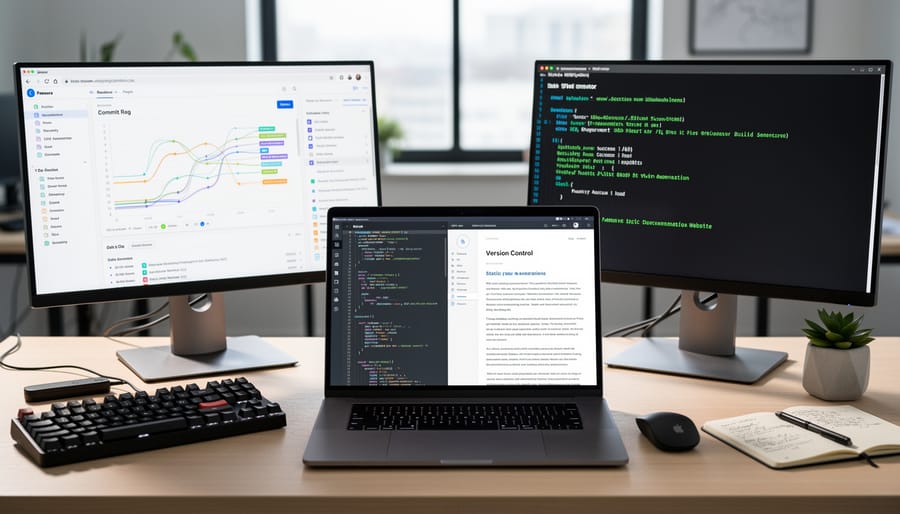
Documentation Platforms (Read the Docs, GitBook, Netlify)
Once you’ve created your documentation, you’ll need somewhere to host it. The good news? Several platforms make publishing docs-as-code content remarkably straightforward, and most offer generous free tiers perfect for freelancers building their portfolios.
Read the Docs stands out as a favorite among technical writers. It connects directly to your GitHub or GitLab repository and automatically rebuilds your documentation whenever you push changes. The free plan supports unlimited projects and is ideal when you’re starting out. Many open-source projects use Read the Docs, so familiarity with it looks great on your resume.
GitBook offers a more visual, user-friendly approach. While it supports Git integration, it also provides a smooth online editor that feels less intimidating if you’re transitioning from traditional writing tools. The free tier includes basic features suitable for personal projects and smaller client work.
Netlify deserves attention for its simplicity and speed. Though originally designed for websites, it handles documentation sites beautifully. You can deploy directly from GitHub, and the free plan includes HTTPS and continuous deployment. Many freelancers appreciate how quickly they can get documentation live and shareable with clients.
Each platform has helped countless writers showcase their work professionally without expensive hosting costs. Start with one, experiment, and you’ll quickly discover which fits your workflow best.
Text Editors and IDEs (VS Code, Atom, Sublime Text)
When you shift to docs-as-code workflows, you’ll swap Microsoft Word for powerful text editors designed for writing code and plain text. The most popular choices are VS Code, Atom, and Sublime Text—and they’re very different from traditional word processors you’re used to.
These editors display raw markup language without formatting distractions, letting you focus purely on content. You’ll see your Markdown syntax directly on screen, which might feel strange at first, but most writers adapt quickly. VS Code has become the industry favorite because it’s free, highly customizable, and works seamlessly with documentation tools like Git and static site generators.
What makes these writing tools special? They offer features like syntax highlighting that color-codes your markup, making it easier to spot errors. They support extensions that add spell-checkers, grammar tools, and live preview windows. Many technical writers love that these editors handle large documentation projects smoothly and integrate with version control systems.
The learning curve is gentle. Start with VS Code—it’s beginner-friendly and has an intuitive interface. You can download it free and begin writing immediately. As a Canadian freelancer, mastering these editors opens doors to higher-paying technical writing contracts with tech companies who expect docs-as-code proficiency.
Getting Started Without Feeling Overwhelmed
Here’s the truth: you don’t need a computer science degree to succeed with docs-as-code. Many technical writers come from journalism, communications, or English backgrounds and learn these tools gradually while continuing to work. The key is starting small and building confidence one step at a time.
Begin with the fundamentals. Spend your first two weeks exploring Markdown, a simple formatting language you can learn in an afternoon. Try writing a few documents in a free Markdown editor like Typora or StackEdit. You’ll quickly realize it’s just another way to format text, similar to using bold or italics in Word, but with symbols instead of buttons.
Once Markdown feels comfortable, introduce yourself to Git and GitHub. This might feel intimidating, but remember that millions of non-programmers use these tools daily. Start by creating a free GitHub account and following a beginner tutorial designed for writers, not developers. GitHub’s own guides are excellent starting points. Give yourself three to four weeks to practice creating repositories, making commits, and understanding basic version control concepts. You won’t master everything immediately, and that’s perfectly fine.
Your third month can focus on static site generators. Jekyll is beginner-friendly and has extensive documentation written for non-technical users. Follow a simple tutorial to build a basic documentation site. Seeing your formatted content appear as a real website feels incredibly rewarding and proves you can do this work.
Free resources abound for motivated learners. Write the Docs offers community support, documentation guides, and meetups across Canada where you can connect with other writers navigating similar challenges. The Markdown Guide provides comprehensive tutorials at no cost. YouTube channels like Techwriting with Fabrizio offer practical walkthroughs specifically for technical writers.
Set realistic expectations. Most freelancers report feeling competent with basic docs-as-code workflows within three to six months of consistent practice. You don’t need to become an expert overnight. Sarah Chen, a Toronto-based freelancer, shared that she landed her first docs-as-code contract after just two months of evening practice, learning additional skills on the job.
Remember, clients value clear writing above technical wizardry. Your strength as a communicator remains your greatest asset. These tools simply enhance how you deliver that value.
How to Market Your Docs-as-Code Skills to Clients
Once you’ve built your docs-as-code skills, it’s time to showcase them effectively. Start by updating your portfolio with samples that demonstrate your technical abilities. Include screenshots of documentation you’ve written using Markdown, links to your GitHub repositories showing commit history, or before-and-after examples of documentation improvements you’ve made. If you’re just starting out, create sample projects to display your capabilities—even practice repositories count.
When positioning yourself for these projects, use the specific keywords clients search for. Terms like “technical documentation writer,” “API documentation specialist,” “developer documentation,” “GitHub documentation expert,” and “Markdown technical writer” should appear naturally in your profiles on platforms like LinkedIn, Upwork, and your personal website. These search terms help clients find you when they need docs-as-code expertise.
In your proposals, highlight both your writing skills and technical capabilities. Mention specific tools you use (Git, Markdown, static site generators), explain how your workflow integrates with developer teams, and emphasize benefits like version control, collaboration efficiency, and documentation that stays synchronized with code. Clients value writers who understand their development processes.
Pricing docs-as-code services typically commands higher rates than traditional technical writing because of the specialized skill set involved. Research shows that technical writers with coding knowledge can charge 20-40 percent more than those without these skills. Consider charging per project for documentation overhauls, hourly rates for ongoing maintenance, or retainer arrangements for companies needing regular updates. Your technical freelance writing career benefits significantly when you can justify premium rates with demonstrable technical competencies.
Don’t be shy about your learning journey. Many clients appreciate writers who stay current with industry trends and are willing to adapt to their specific toolchains. Your commitment to mastering docs-as-code shows professionalism and dedication to excellence.

Learning docs-as-code is more than just adding a few tools to your skillset—it’s opening the door to a more flexible, secure, and profitable freelance writing career. The technical writing landscape is evolving, and the freelancers who adapt now are positioning themselves for long-term success in a growing market. Yes, there’s a learning curve, but remember that every expert writer you admire today once started exactly where you are now.
The beautiful thing about docs-as-code skills is that they compound over time. Once you’ve mastered Git, Markdown, and a few essential tools, each new project becomes easier. You’ll work faster, deliver better results, and command higher rates. Your clients will notice the difference, and your confidence will grow with every repository you manage and every pull request you submit.
Think of this as an investment in yourself. The hours you spend learning these tools today will pay dividends for years to come. You’ll be able to work with innovative tech companies, collaborate with development teams, and take on projects that many writers simply can’t handle. That’s job security and earning potential rolled into one.
Canadian freelance writers have incredible opportunities ahead. The demand for technical writers who understand modern documentation workflows continues to rise, and companies are willing to pay premium rates for professionals who can bridge the gap between technical teams and end users. You already have the writing skills—now you’re just expanding your toolkit to meet the market where it’s headed. Start small, stay consistent, and watch as new opportunities unfold.