

You’ve likely hit the wall trying to move your carefully crafted content from Google Docs to WordPress, only to watch your formatting crumble. Or perhaps you’ve spent an hour reformatting a client’s piece because their content management system speaks a different language than yours. This frustration has a name: network interoperability—or rather, the lack of it.
Network interoperability means different platforms and systems can communicate and share information seamlessly. When it works, you paste your article anywhere and it maintains its structure. When it doesn’t, you waste billable hours fixing broken links, reformatting headings, and wrestling with image placements that mysteriously shift.
For freelance writers, this isn’t just a technical annoyance—it’s money lost and opportunities delayed. Every minute spent reformatting is a minute you’re not writing, pitching, or landing your next client. Canadian writers juggling multiple platforms for different clients feel this pain acutely, especially when tight deadlines loom.
The good news? Understanding how platforms communicate helps you choose tools that play well together, streamline your workflow, and protect your time. Simple solutions exist that don’t require a computer science degree—just knowing which file formats travel best, which platforms integrate smoothly, and how to set up your writing environment once so it works everywhere.
This knowledge transforms technical barriers into competitive advantages, letting you focus on what you do best: creating compelling content that connects with readers.
What Network Interoperability Actually Means for Writers

The Content Ecosystem You’re Already Working In
As a Canadian freelance writer, you’re already navigating a complex web of platforms every single day. You draft articles in Google Docs, publish to WordPress sites, share portfolios on Medium, communicate through client portals like Asana or Trello, send invoices via FreshBooks or Wave, and promote your work across social media. Each platform serves a purpose, but here’s the challenge: they don’t communicate with each other seamlessly.
Think about your typical workflow. You write a blog post in Google Docs, copy it to WordPress, manually format everything again, then create a separate version for Medium with different formatting requirements. You track your hours in one app, copy that data to your invoicing software, and maintain a separate spreadsheet for tax purposes. When a client requests revisions, you’re juggling comments across email, Slack, and their preferred project management tool.
This fragmented ecosystem costs you valuable time and creates countless opportunities for errors. One freelance writer from Toronto shared that she spent nearly five hours weekly just transferring information between platforms—time she could have spent on billable work.
The lack of interoperability between these systems isn’t just inconvenient; it’s holding your productivity hostage. While decentralized social platforms are emerging as alternatives, most writers still rely on traditional platforms that prioritize their own ecosystems over cross-platform compatibility. Understanding this landscape is the first step toward finding practical solutions that streamline your workflow.
When Systems Don’t Play Nice Together
You’ve likely experienced the frustration firsthand. You craft a perfectly formatted article in your favorite writing tool, complete with subheadings, bullet points, and embedded images. When you paste it into a client’s content management system, everything falls apart. Your carefully structured headings become plain text. Your bullet points vanish. Those carefully optimized images? They’re just broken links now.
Or perhaps you’ve faced the metadata nightmare: switching between different content systems means manually re-entering author information, tags, and categories for every single piece. What should take minutes stretches into hours of tedious copying and pasting.
These scenarios aren’t just annoying—they cost you real time and money. One writer shared how she lost an entire afternoon reformatting a 3,000-word piece because her client’s platform couldn’t accept her file format. Another spent hours recreating image galleries that wouldn’t transfer properly.
When systems don’t communicate effectively, you become the translator, manually bridging the gap between platforms. This workflow interruption pulls you away from what you do best: creating compelling content that engages readers and builds your reputation.
How Poor Interoperability Costs You Time and Money
The Hidden Tax on Your Productivity
Let’s talk about the real cost of platform incompatibilities on your writing business. When you spend 15 minutes reformatting a perfectly good article because one client uses Google Docs while another insists on Microsoft Word, that’s 15 minutes you’re not getting paid for. Multiply that across multiple projects each week, and you’re looking at several unbilled hours every month.
Consider this: if you charge $50 per hour, just three hours of monthly formatting frustration costs you $150 in lost income. That’s $1,800 annually—money that could fund professional development courses or upgrade your workspace. Many writers spend additional time re-uploading images that don’t transfer properly between platforms, fixing broken hyperlinks, or troubleshooting why their carefully formatted tables turned into digital chaos during file conversion.
Project timelines suffer too. When a client needs revisions but the file won’t open correctly in their system, you’re stuck playing technical support instead of writing. These delays can push deadlines dangerously close or force you to work late nights catching up—neither of which supports a sustainable freelance career.
The impact extends beyond immediate projects. When you’re known for quick turnarounds, technical hiccups that eat into your schedule damage your professional reputation. Clients remember delays, even when they’re caused by platform incompatibilities beyond your control. Understanding these hidden productivity taxes is the first step toward reclaiming your time and protecting your income.

Missing Opportunities Because of Technical Barriers
Have you ever turned down a writing opportunity simply because the platform seemed too complicated? You’re not alone. Many Canadian writers leave money on the table because technical barriers make certain clients or platforms feel inaccessible.
Consider this common scenario: a potential client uses a content management system you’ve never encountered, complete with unfamiliar submission processes and formatting requirements. The learning curve feels steep, and you’re already juggling multiple deadlines. Rather than wrestling with the new system, you politely decline the work—even though the pay rate is excellent.
This pattern adds up quickly. When technical friction becomes too high, writers naturally gravitate toward familiar platforms and clients, creating an invisible ceiling on their income potential. You might be excellent at your craft, but if you can’t easily navigate between different publishing systems, you’re limiting your opportunities.
The good news? Recognizing this barrier is the first step toward overcoming it. Once platforms become more interoperable—meaning they work together seamlessly—you’ll spend less time learning new systems and more time doing what you do best: writing. Understanding how interoperability affects your workflow helps you make informed decisions about which technical skills to develop and which platforms truly deserve your time investment.
Smart Solutions Writers Are Using Right Now
Universal File Formats That Travel Well
When you’re juggling multiple clients and platforms, choosing file formats that work everywhere saves you countless headaches. Think of these formats as your reliable travel companions—they look good no matter where they land.
Plain text files (.txt) are your simplest option. They open on any device, from smartphones to tablets to desktops, without fancy software. They’re perfect for first drafts, notes, and brainstorming sessions. You won’t lose a single word, though you’ll sacrifice formatting like bold or italics.
Markdown (.md) strikes the sweet balance between simplicity and formatting power. Many successful freelancers swear by it because you can add headings, lists, and links using simple symbols that any editor understands. It converts beautifully to HTML for web content and looks professional in Word processors.
For polished documents, PDF format ensures your formatting stays intact. When you’re submitting finished work or sending invoices, PDFs display identically on every screen. Just remember they’re harder for clients to edit.
Rich Text Format (.rtf) offers another versatile choice, maintaining basic formatting while opening in virtually any word processor. It’s lighter than Word documents and causes fewer compatibility issues.
The freelancing tip here is simple: match your format to your task. Draft in plain text or Markdown for flexibility, deliver in PDF for presentation. This approach keeps your workflow smooth and your clients happy.
Bridge Tools That Connect Your Platforms
The good news? You don’t need to be a tech expert to bridge your platforms effectively. Several user-friendly tools make moving content between systems surprisingly simple, and many won’t cost you a penny.
Zapier and IFTTT are automation powerhouses that connect your favorite platforms without coding knowledge. Set up a “zap” once, and your blog posts can automatically share to social media, or new client contracts in Google Drive can trigger notifications in your project management tool. The free tiers are generous enough for most freelance writers.
For document conversions, Pandoc handles the heavy lifting when you need to transform Word documents into HTML, Markdown into PDFs, or between dozens of other formats. Writers who submit to multiple publications love this tool because it maintains formatting while adapting to different submission requirements.
Cloud storage services like Google Drive and Dropbox offer built-in integrations with writing tools. Your manuscript in Google Docs can easily export to various formats, sync across devices, and share with editors seamlessly.
Canadian writer Maria S. shares her success: “I used to spend hours reformatting articles for different clients. Now Zapier moves my Notion drafts directly into my WordPress site, saving me at least three hours weekly.”
Start small. Pick one workflow frustration—maybe posting to social media or converting file formats—and try one free tool to solve it. You’ll quickly discover how these bridges transform your productivity, giving you more time for what matters most: your writing.
Building a Portable Content Workflow
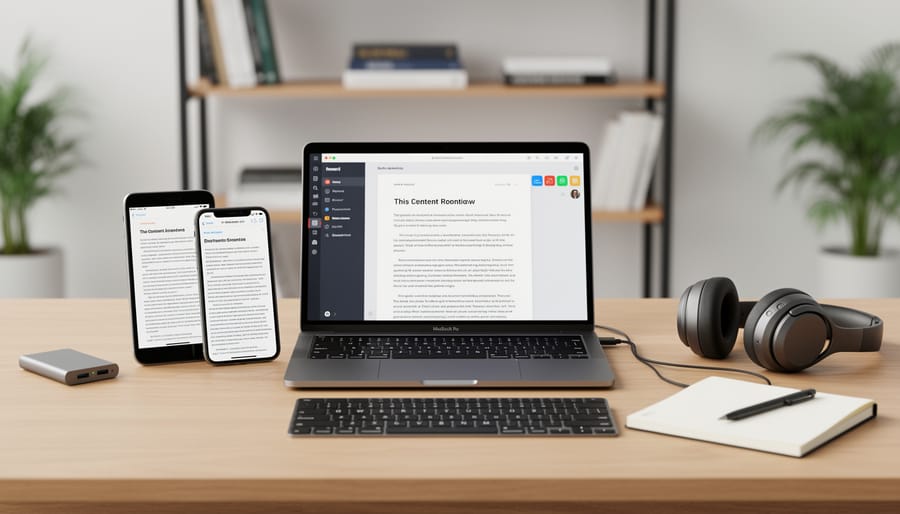
Start by choosing one reliable text editor as your home base—something simple like Google Docs or Microsoft Word works perfectly. Create a standard template with consistent heading styles, font choices, and formatting rules you’ll use for every project. This consistency makes conversion between platforms much smoother.
Next, develop a simple folder structure that follows your content journey: Research, Drafts, Editing, and Final. Store all related materials together, keeping file names clear and dated. When moving content between stages, save versions rather than overwriting—this protects your work and gives you fallback options.
Consider protecting your digital content by backing up to cloud storage regularly. This habit ensures your workflow stays portable even if technology fails.
Before publishing, test your content in the destination platform. Copy a paragraph first to check formatting, then make necessary adjustments. Keep a simple checklist noting which platforms require special formatting tweaks—this saves time on future projects and builds your efficiency as you grow your freelance career.
What to Ask Clients About Their Systems
The Five Questions That Save Hours Later
Before you accept your next project, asking these five questions can prevent technical headaches and save you valuable time down the road.
First, ask: “What file format do you prefer for submissions?” Some clients want plain text, others need specific Word versions, and some use Google Docs exclusively. Knowing this upfront prevents last-minute conversions.
Second: “How do I access your content management system?” Understanding whether you’ll upload directly, email files, or use a third-party platform helps you plan your workflow and identify potential compatibility issues early.
Third: “What’s your revision process?” Find out if edits happen in their CMS, through tracked changes, or via comments in shared documents. This clarity prevents confusion when feedback arrives.
Fourth: “Are there any technical requirements for images or multimedia?” If you’re including visuals, knowing size limits, format preferences, and naming conventions saves frustrating back-and-forth later.
Finally: “Who do I contact if I encounter technical issues?” Having a direct contact for platform problems means you won’t waste hours troubleshooting alone. These simple questions demonstrate your professionalism while protecting your time and ensuring smoother project completion. Remember, asking questions isn’t a sign of inexperience—it’s a hallmark of seasoned professionals who value efficiency.
Red Flags That Signal Technical Trouble Ahead
Watch for clients who can’t clearly explain how their content management system works or those who say “we’ve always done it this way” when you ask about file formats. If a potential client requires you to work exclusively within their proprietary platform without export options, that’s a major warning sign. Be cautious when clients dismiss your questions about compatibility or seem surprised that you work with multiple clients using different systems.
Red flags also include last-minute format change requests, frequent technical issues on their end that delay your payments, or resistance to using standard file formats like Word documents or Google Docs. When a client insists on unusual workflows without explaining why, or when simple content updates require IT department involvement, you’re likely facing interoperability issues that will eat into your billable hours.
These situations aren’t deal-breakers, but they do warrant higher rates to compensate for the extra time you’ll spend troubleshooting. Trust your instincts—if the technical setup feels unnecessarily complicated during initial conversations, it probably is.
The Future Is Getting Easier (Here’s What’s Coming)
Great news: the technical headaches you’ve experienced are becoming less common. Major platforms and technology developers are finally recognizing that writers need seamless workflows, and they’re building tools to make that happen.
New standards like ActivityPub (which powers many social platforms) are making it easier to share content across different networks without reformatting. Think of it as a universal translator for your work. You’ll soon be able to write once and publish everywhere with minimal adjustments.
Cloud-based writing tools are also improving their interoperability features. More platforms now offer one-click exports, automatic formatting preservation, and better collaboration features that work across different systems. This means less time wrestling with technical issues and more time actually writing.
The decentralized internet movement is pushing for even greater content portability, giving writers more control over where and how their work appears. As these technologies mature, you’ll have more freedom to choose platforms based on what works best for you rather than being locked into one ecosystem.
What should you do now? Start experimenting with newer platforms that prioritize interoperability. Test their export features. Try collaborative tools that promise cross-platform compatibility. Being an early adopter of these improved systems will give you a competitive advantage as more clients expect flexible, multi-platform content delivery. The future is genuinely getting brighter for writers who’ve struggled with technical barriers.
Understanding network interoperability isn’t just about grasping technical concepts—it’s about giving yourself a real competitive advantage in today’s writing marketplace. When you know how to work seamlessly across different platforms and systems, you save time, reduce frustration, and open doors to more opportunities. Clients value writers who can adapt quickly and deliver content without technical hiccups.
Start small today. Choose just one or two strategies from this guide—maybe it’s standardizing your file formats or exploring a new collaboration tool that plays well with multiple platforms. These simple changes can transform your daily workflow and make you more efficient.
Remember, technical adaptability is quickly becoming as valuable as strong writing skills. The freelance writers who thrive aren’t necessarily the ones with the fanciest tools, but those who understand how their tools work together. You don’t need to become a tech expert overnight. Each small step you take toward better interoperability makes your professional life easier and positions you as a forward-thinking, solution-oriented writer that clients want to hire again and again.