

Protect your digital identity and client data with military-grade password managers that automatically generate unique credentials for every platform you use. Encrypt sensitive client documents and writing drafts using free tools like VeraCrypt, creating virtually impenetrable vaults for your most valuable content. Set up two-factor authentication on all your professional accounts – from email to cloud storage – adding an extra shield that blocks 99.9% of automated attacks. Back up your writing portfolio and client materials across three separate locations: a local drive, encrypted cloud storage, and an offline external device.
As freelance writers, our digital workspace holds everything from draft articles to confidential source information. Simple security measures protect not just our work, but our professional reputation and client relationships. Think of digital security as your professional insurance policy – a small investment of time that safeguards your writing career and gives clients confidence in your professional standards.
Privacy Risks in the Digital Writing Landscape
Client Data Protection
As a freelance writer, protecting your clients’ sensitive information is just as important as delivering quality work. Start by implementing strong password practices for all your devices and accounts, using a reliable password manager to keep track of them. Create separate folders for each client’s work, and consider using encrypted cloud storage services for added security.
When communicating with clients, opt for secure messaging platforms and avoid sharing sensitive information through regular email. If you must send confidential details, use password-protected documents and share the password through a different communication channel.
Always get clear permission before sharing any client information or case studies, and be sure to understand your clients’ privacy requirements upfront. Consider creating a simple confidentiality agreement that outlines how you’ll handle and protect their information.
Regular backups are essential, but ensure they’re secure too. Delete old client files when projects are complete (unless otherwise agreed), and keep a clean digital workspace. Remember, your reputation as a trustworthy professional depends not just on your writing skills, but also on how well you protect your clients’ confidential information.
Manuscript Security
Protecting your unpublished work is crucial in today’s digital landscape. As writers, our manuscripts and drafts are our most valuable assets, and implementing robust security measures should be a key part of your digital content management strategy.
Start by using cloud storage services with two-factor authentication and regularly backing up your work to multiple secure locations. Consider using writing software that offers automatic versioning and encrypted storage, such as Scrivener or Google Docs with enhanced security settings.
When sharing drafts with clients or editors, use password-protected files and secure file-sharing platforms. Watermark your documents when necessary, and always maintain detailed records of who has access to your work. Consider using digital rights management (DRM) tools for sensitive projects.
Remember to register your copyright for important works and include clear ownership statements in your documents. While sharing excerpts on social media can be great for promotion, be selective about what you reveal before publication to protect your intellectual property.
Essential Security Measures for Writers
Secure File Storage
As a freelance writer, protecting your work and client information is crucial, and choosing the right secure data storage solutions can make all the difference. Let’s explore both cloud and local storage options that balance convenience with security.
Cloud storage services like Google Drive, Dropbox, and OneDrive offer excellent accessibility and automatic backups. When using these platforms, enable two-factor authentication and organize your files using clear folder structures. Create separate folders for different clients and projects, and regularly review sharing permissions to maintain confidentiality.
For local storage, consider using an external hard drive with built-in encryption. Many writers find success with a dual backup system: keeping critical files both in the cloud and on an encrypted drive. This approach ensures you’re covered if either system fails.
Remember to:
– Use strong, unique passwords for all storage accounts
– Encrypt sensitive client information before uploading
– Regularly update your backup schedule
– Keep your local backup drive in a secure location
– Test your recovery process periodically
Consider using password managers to maintain secure access to your storage accounts, and always maintain a clear file-naming system that helps you quickly locate important documents while keeping them organized and protected.

Safe File Sharing
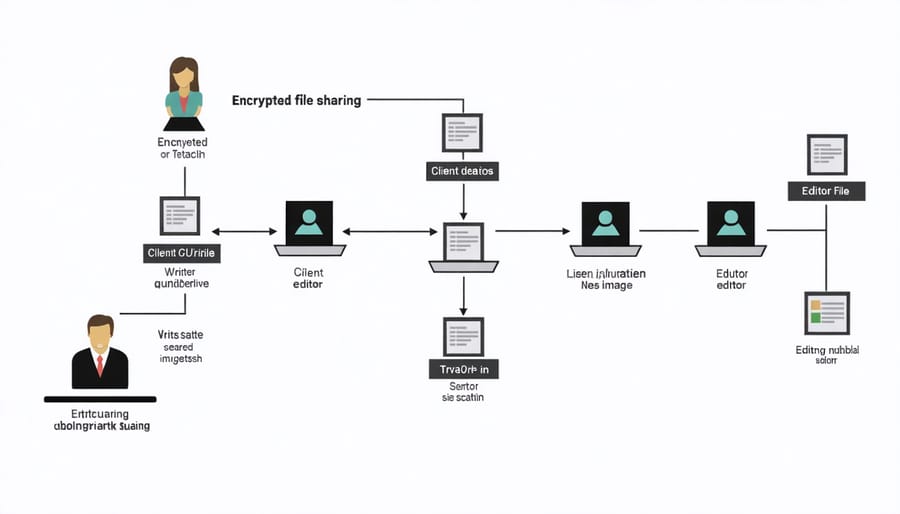
When sharing your work with clients and editors, it’s essential to use secure methods that protect both your content and their confidential information. Dropbox and Google Drive are popular choices, but make sure to set proper sharing permissions and use password protection when available.
For sensitive documents, consider using encrypted file-sharing services like ProtonDrive or Tresorit. These platforms offer end-to-end encryption, ensuring your work remains private during transfer. Many Canadian writers also use WeTransfer’s secure service for larger files, which automatically deletes shared content after a set period.
Always verify the recipient’s email address before sending anything important, and avoid using public Wi-Fi when transferring sensitive documents. If you need to share login credentials or other confidential information, use a secure password manager rather than sending them through email or chat.
Consider creating a dedicated client portal on your website if you handle multiple projects regularly. This provides a professional, secure environment for file sharing and collaboration. Platforms like Client Portal or Content Snare are user-friendly options that don’t require technical expertise.
Remember to regularly update your sharing permissions and remove access for completed projects. It’s also good practice to discuss file-sharing preferences with your clients upfront and include these details in your contract or service agreement.
Building Privacy-Conscious Writing Workflows
Project Management Security
As freelance writers, maintaining secure communication with clients is crucial for building trust and protecting sensitive information. Start by using encrypted email services like ProtonMail or setting up two-factor authentication on your regular email account. When sharing documents, consider using secure cloud storage solutions that offer end-to-end encryption.
For project discussions and file sharing, stick to professional platforms designed for business collaboration. Tools like Slack, Microsoft Teams, or Asana offer robust security features while keeping your communication organized. Avoid discussing sensitive client information through personal social media accounts or unsecured messaging apps.
Create a clear protocol for handling client data. This includes using strong passwords for all project-related accounts and regularly updating them. Consider using a password manager to keep track of your credentials securely. When working on confidential projects, ensure your work environment is private and your screen isn’t visible to others.
Document sharing requires extra attention. Use secure file transfer methods and avoid sending sensitive information through regular email attachments. Many clients prefer using their own secure platforms – always respect their preferences and security protocols.
Keep detailed records of all client communications and project-related discussions in a secure location. This not only helps with project management but also protects both parties in case of any disputes. Remember to regularly back up these records using encrypted storage solutions.
For international clients, be aware of different privacy laws and data protection requirements. When in doubt, err on the side of caution and ask your clients about their specific security preferences and requirements.
Digital Rights Management
As a freelance writer, protecting your digital work is crucial in today’s content-driven world. Digital Rights Management (DRM) isn’t just about preventing unauthorized copying; it’s about maintaining content control and ownership of your creative assets.
Start by registering your work with copyright offices and using watermarks on visual content. Consider embedding digital signatures in your documents and utilizing platforms that offer built-in DRM features. Many content management systems now provide tools to track how your work is being used and shared across the internet.
For client work, implement clear usage agreements that specify how your content can be distributed and repurposed. This protects both you and your clients while establishing professional boundaries. Consider using Creative Commons licenses when appropriate, which allow you to specify exactly how others can use your work while maintaining your rights as the creator.
Keep detailed records of your published work, including screenshots and archived versions. This documentation can prove invaluable if you ever need to defend your rights or demonstrate ownership. Many successful freelancers also use content monitoring services to alert them when their work appears elsewhere without permission.
Remember to regularly back up your work and store copies of your rights management documentation in secure cloud storage. This ensures you can always access proof of ownership, even if your primary files are compromised. By taking these proactive steps, you’re not just protecting your work – you’re building a sustainable foundation for your writing career.
As we’ve explored throughout this article, protecting your digital privacy isn’t just about safeguarding your personal information – it’s about maintaining professional credibility and building trust with your clients. As a freelance writer in today’s digital landscape, taking proactive steps to secure your work and communications is essential for long-term success.
Remember to regularly update your security practices, use strong passwords, encrypt sensitive documents, and maintain clear boundaries between personal and professional digital spaces. These habits might seem small, but they create a foundation of trust that clients value deeply.
Your dedication to digital privacy demonstrates professionalism and reliability – qualities that set successful freelancers apart in Canada’s competitive writing market. By implementing the strategies we’ve discussed, you’re not just protecting yourself; you’re investing in your freelance business’s future.
Stay informed about evolving digital security threats and solutions, but don’t let concerns overshadow your creative work. With thoughtful precautions in place, you can focus on what you do best: creating exceptional content for your clients while maintaining peace of mind about your digital security.