
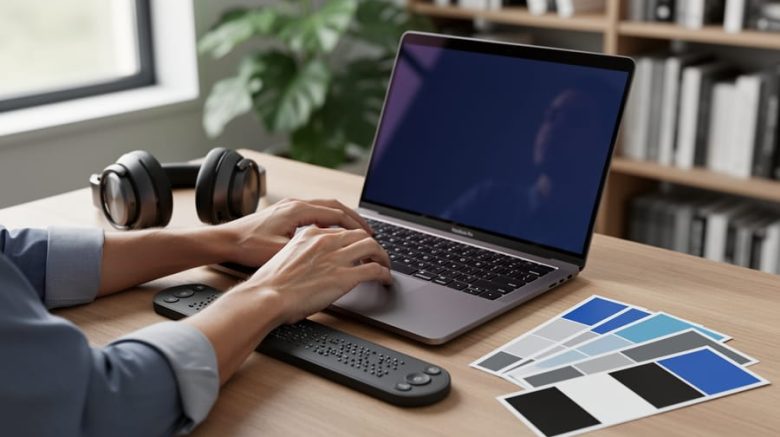
Add descriptive alt text to every image you use in blog posts, social media graphics, and portfolio pieces—describe what the image shows in one clear sentence so screen readers can convey the content to visually impaired readers. Structure your articles with proper heading hierarchy (H1 for titles, H2 for main sections, H3 for subsections) instead of just making text bigger and bolder, allowing assistive technologies to navigate your content logically. Choose color combinations with sufficient contrast for text and backgrounds—dark grey on white works better than light grey on white—ensuring readers with low vision or color blindness can read comfortably. Include captions or transcripts for any video or audio content you create, whether it’s a promotional reel, podcast excerpt, or tutorial, making your work accessible to deaf and hard-of-hearing audiences.
These simple adjustments transform your writing from exclusive to inclusive, opening doors to government contracts, corporate clients, and organizations that prioritize accessibility compliance. Canadian freelance writers who understand digital accessibility stand out in a competitive market, demonstrating professionalism and awareness that clients increasingly value. The best part? Most accessibility practices improve readability for everyone, not just people with disabilities—clear headings help readers skim content, alt text boosts SEO, and transcripts provide multiple ways to consume your message. Accessibility isn’t extra work tacked onto your process; it’s quality writing that reaches the widest possible audience and positions you as a forward-thinking professional.
What Digital Accessibility Actually Means for Writers
Digital accessibility means creating content that everyone can read, navigate, and understand—regardless of how they experience the web. For freelance writers, this isn’t about becoming a tech expert. It’s simply about making thoughtful choices when you create digital content so people with disabilities can access your work just as easily as anyone else.
Think of it this way: when you write with accessibility in mind, you’re ensuring that someone using a screen reader, someone with low vision, or someone with cognitive differences can still enjoy and benefit from your words. That’s the heart of it.
As a writer, you’re part of what’s called the Digital Content Ecosystem—a fancy term for the network of people who create, publish, and share information online. You might write blog posts, social media updates, email newsletters, or website copy. Each piece you create reaches real people with diverse needs and abilities. When you make your content accessible, you’re expanding your potential audience and demonstrating professional awareness that clients increasingly value.
Here’s the good news: accessibility isn’t a complete overhaul of how you work. It’s about small, intentional adjustments. Adding descriptive text to images. Using clear headings. Choosing readable fonts. Writing in plain language. These practices don’t just help people with disabilities—they make your content better for everyone.
Canadian writers who embrace accessibility are positioning themselves ahead of the curve. With new accessibility legislation coming into effect across the country, businesses need writers who understand these principles. That means more opportunities for you and the satisfaction of knowing your words truly reach everyone.
Real Examples of Accessible Writing That Gets Hired
Making Your Articles Screen-Reader Friendly
When you structure your articles with screen readers in mind, you’re not just helping visually impaired readers—you’re creating better content for everyone, including search engines. Here’s how to put this into practice.
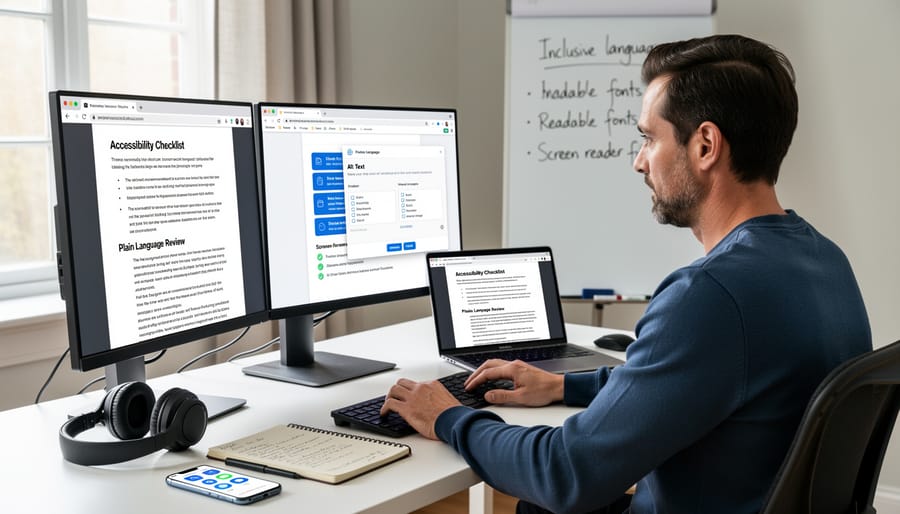
Start with proper heading structure. Use H1 for your main title, then H2 for major sections, and H3 for subsections. Think of it like an outline that helps readers navigate your piece. Screen readers jump between headings, so a logical hierarchy makes your content easier to scan. For example, if you’re writing a blog post about freelancing tips, your H1 might be “5 Ways to Land Better Clients,” with H2s for each tip.
Next, make your links descriptive. Instead of writing “click here” or “read more,” use phrases that tell readers exactly where they’re going. Compare “Check out this resource” to “Read our guide to building a freelance portfolio.” The second option works better for screen readers and improves your SEO too—a win-win for your writing career.
Clear, straightforward language benefits everyone. Write in active voice, keep sentences concise, and avoid unnecessary jargon. This doesn’t mean dumbing down your content; it means respecting your readers’ time and attention. When you must use technical terms, define them simply.
These practices take just minutes to implement but dramatically improve your content’s reach. Many clients specifically seek writers who understand accessibility, making this skill a valuable addition to your freelance toolkit. You’re already a strong writer—adding these techniques just makes your work shine even brighter.
Writing Alt Text That Actually Works
Alt text is your secret weapon for making visual content accessible to everyone, including people using screen readers. The good news? Writing effective alt text is simpler than you think, and it’ll make your work stand out to quality clients who value inclusivity.
Let’s look at real examples from your daily writing work:
Bad alt text: “image1.jpg” or “photo”
Good alt text: “Freelance writer typing on laptop at sunlit home office desk”
The difference? Good alt text describes what’s actually happening in the image. Think of it as writing a quick snapshot for someone who can’t see the picture.
For social media posts:
Bad: “Check this out!”
Good: “Infographic showing five time management tips for freelance writers, including color-coded weekly schedule template”
In blog posts featuring screenshots:
Bad: “screenshot”
Good: “WordPress editor showing formatting toolbar with accessibility checker highlighted in green”
For decorative images like divider lines or background patterns, use empty alt text (alt=””) so screen readers skip them entirely. This keeps the experience smooth rather than cluttered.
Here’s a freelancing tip: Clients in education, government, and healthcare sectors actively seek writers who understand accessibility. By mastering alt text now, you’re opening doors to higher-paying opportunities while making the digital world more welcoming for everyone. That’s a win-win worth celebrating.
Creating Accessible Social Media Content
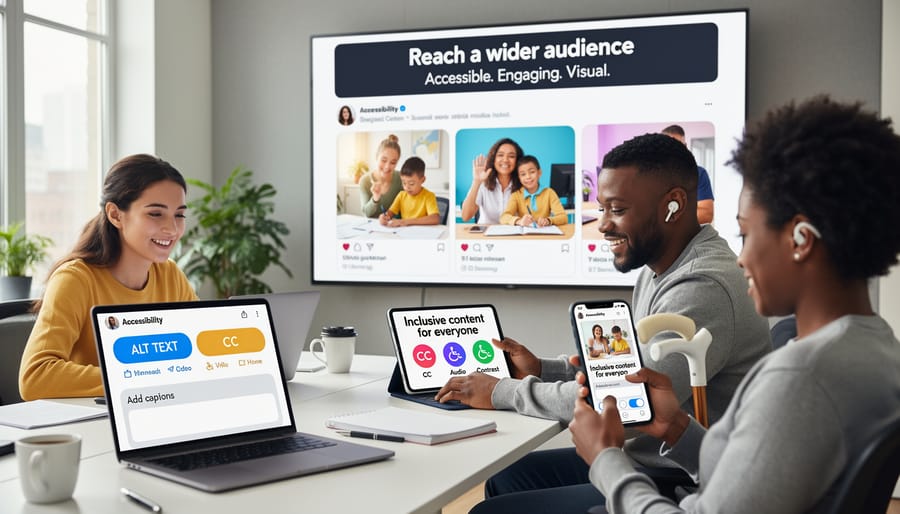
Social media is where your writing reaches people directly, making accessibility crucial for maximizing your audience. Start with image descriptions: every photo, graphic, or screenshot needs alternative text explaining what’s shown. When you post that screenshot of a client testimonial, describe it like “Screenshot of email testimonial from marketing director praising article quality and turnaround time.”
Captions matter too. Always include captions or transcripts for video content. If you’re sharing a quick writing tip via video, post the key points in text format below.
Hashtag placement makes a significant difference. Instead of writing #AccessibilityMatters with words running together, use camel case: #AccessibilityMatters. This helps screen readers pronounce each word correctly. Better yet, place hashtags at the end of your post rather than embedding them mid-sentence, which improves readability for everyone.
Limit emoji use and keep them purposeful. Screen readers announce each emoji aloud, so five celebration emojis become repetitive noise. One well-placed emoji at the end works better. When creating content across platforms, these simple adjustments ensure your message reaches every potential client, editor, or fellow writer who might need your expertise.
Email Newsletters That Everyone Can Read
Creating accessible email newsletters opens your content to wider audiences and demonstrates professionalism to potential clients. Start with descriptive subject lines that clearly state your newsletter’s purpose—avoid vague phrases like “You won’t believe this!” Instead, try “5 Freelance Writing Tips for March 2024.”
Structure your email content with short paragraphs and white space between sections. This makes scanning easier for readers using assistive technology or those with cognitive differences. Use heading tags properly (H1 for your main title, H2 for subheadings) rather than just making text larger or bold.
When adding links, write descriptive anchor text. Instead of “click here,” try “read our latest freelancing success story.” This helps screen reader users understand where links lead without surrounding context.
Choose fonts that are easy to read, like Arial or Verdana, at 14-point minimum. Ensure sufficient color contrast between your text and background—dark text on light backgrounds works best. If you’re sharing images, include alt text descriptions so everyone understands the visual content.
Many email platforms like MailChimp and Constant Contact now include accessibility checkers. Run your newsletter through these tools before sending. You’ll catch issues you might have missed and learn what makes content truly readable for everyone.
How Accessible Writing Opens More Job Opportunities
Here’s something exciting: accessibility skills are quickly becoming one of the most valuable assets you can add to your freelance writing toolkit. As Canadian organizations rush to meet accessibility standards and serve diverse audiences, writers who understand accessible content creation are landing contracts that others miss entirely.
The numbers tell a compelling story. Government agencies, educational institutions, and corporations across Canada are actively seeking writers who can produce accessible content from the start. This means fewer revisions, faster approvals, and clients who value your specialized knowledge. When you can confidently work with clients on accessibility requirements, you’re not just another writer—you’re solving a real problem they face.
Consider Sarah, a Toronto-based freelance writer who added accessibility skills to her portfolio last year. Within three months, she increased her rates by 30 percent and secured two long-term contracts with organizations specifically seeking accessible content creators. “Clients were relieved to find someone who understood their needs without requiring extensive training,” she shares. “It opened doors I didn’t even know existed.”
Vancouver writer Marcus had a similar experience. After learning accessible writing techniques, he positioned himself as an accessibility-focused content specialist. His income jumped significantly, and he now works primarily with government clients who require WCAG-compliant content. “The competition dropped dramatically once I added this skill,” he notes. “Most writers don’t realize how in-demand this is.”
The competitive advantage extends beyond government work. Private companies face increasing pressure to make their digital content accessible, creating opportunities across industries. Tech companies, healthcare providers, financial institutions, and e-commerce businesses all need writers who can create inclusive content that reaches everyone.
The income boost is real and measurable. Writers with accessibility skills typically command 20 to 40 percent higher rates than those without. You’re offering specialized knowledge that saves clients time and money while helping them meet legal requirements and serve their audiences better.
Best of all, these skills complement everything you already do. You don’t need to abandon your current niche or start over. Accessibility enhances your existing writing, making you more valuable in whatever field you serve. It’s an investment that pays dividends throughout your entire career.
Simple Tools and Checks Every Freelance Writer Should Use
You don’t need expensive software or a technical degree to make your writing more accessible. Several free and affordable tools can help you check your content right now, and most take just minutes to learn.
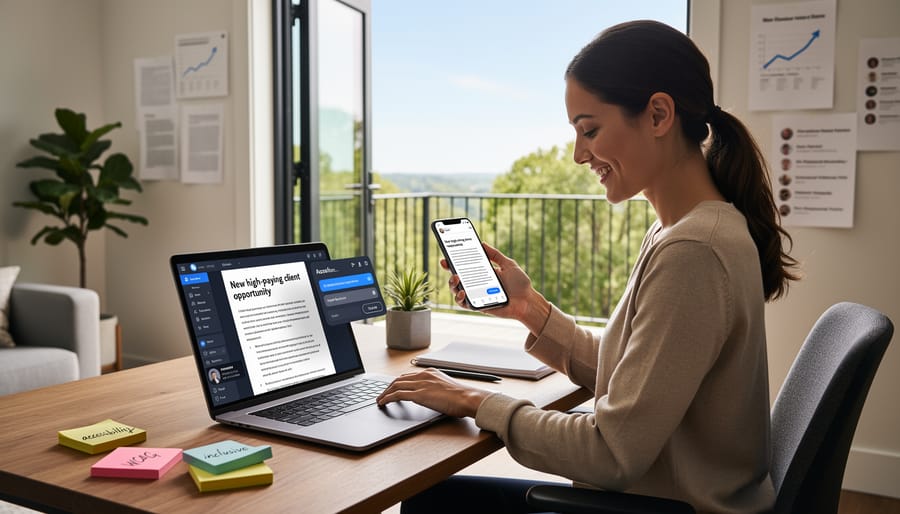
Start with the built-in accessibility checker in Microsoft Word or Google Docs. These tools flag basic issues like missing alt text, low color contrast, and heading structure problems. Simply click the “Review” tab in Word or explore the “Accessibility” option in Google Docs. While not perfect, these checkers catch common mistakes before you submit work to clients.
For checking color contrast, WebAIM’s free Contrast Checker is a lifesaver. Paste in your color codes, and it instantly tells you if your text meets accessibility standards. This is particularly useful when creating branded content, social media graphics, or portfolio materials where you control the design.
The Hemingway Editor helps simplify your writing by highlighting complex sentences and suggesting clearer alternatives. While originally designed to improve readability, it naturally supports accessibility by encouraging shorter sentences and simpler word choices. The basic web version is completely free.
Grammarly’s free version includes a readability score that shows your content’s grade level. Aim for grade 8 or lower for most general audiences. This aligns beautifully with personalization technology trends, where content adapts to different reading levels.
WAVE (Web Accessibility Evaluation Tool) is another free browser extension that evaluates web pages for accessibility issues. While more technical than other options, it’s excellent for checking your portfolio website or published articles.
The best part? You can master these tools in an afternoon. Canadian freelancer Sarah Chen shares her experience: “I spent two hours learning these tools, and now checking accessibility is as automatic as spell-checking. Clients notice the difference, and it’s opened doors to higher-paying contracts.”
Start with one tool this week. Small steps lead to significant improvements in your writing accessibility and marketability.
Making Your Portfolio and Website Accessible
Your portfolio website is your digital storefront, and making it accessible opens doors to more clients and opportunities. Before-and-after scenarios show just how impactful small changes can be.
Before: A portfolio showcasing beautiful writing samples as PDF downloads with names like “sample1.pdf” and “sample2.pdf.” After: The same samples with descriptive filenames like “healthcare-blog-post-diabetes-management.pdf” and alt text explaining what each document contains. This simple shift helps screen reader users understand what they’re downloading before they open it.
Before: A contact form with fields labeled only by placeholder text that disappears when someone starts typing. After: Permanent labels above each field plus helpful instructions like “Please include your project deadline and budget range.” This benefits everyone, especially people using assistive technology or those with memory challenges.
Before: Testimonials displayed as image screenshots of emails. After: Those same testimonials typed as text with proper heading structure, making them searchable and readable by all devices and assistive technologies.
Your portfolio can transform your freelance writing portfolio into an inclusive showcase that attracts diverse clients who value accessibility. Consider this success story: Toronto-based writer Maria redesigned her portfolio with accessible features and landed three new clients within a month, including a government contract that specifically required accessibility expertise.
Start with one element, perhaps adding descriptive link text instead of “click here” buttons. Then tackle your color contrast or image descriptions. Each improvement signals to potential clients that you understand modern web standards and care about reaching all audiences. Plus, accessible websites often rank better in search results, giving you an SEO advantage alongside your inclusive approach.
You don’t need to overhaul everything overnight. Start with just one or two practices—maybe adding alt text to your images or checking your colour contrast. These small steps make your writing clearer and more professional, which means it reaches more readers and attracts better clients. Accessible writing is simply good writing. It’s direct, organized, and considerate of different needs. Writers who embrace accessibility stand out in a crowded marketplace because they demonstrate attention to detail and inclusive thinking. Your competitors might overlook these practices, but you won’t. Each accessible piece you create strengthens your portfolio and opens doors to clients who value quality and inclusivity. The writing industry is evolving, and accessibility skills give you a real competitive edge. Start today with one simple change, and watch how it transforms your work and your opportunities.