

Transform your writing career by exploring real-world augmented reality basics that are reshaping how Canadian writers work. Picture overlaying your story drafts in mid-air, collaborating with virtual writing partners across Toronto and Vancouver, or visualizing your character’s world through AR-enabled storyboarding apps.
From Snapchat’s playful filters to Microsoft HoloLens’s immersive workspace solutions, AR technology isn’t just transforming social media—it’s opening new doors for creative professionals. Writers now use AR tools to map complex plot structures, visualize character relationships, and create interactive content that brings stories to life.
Leading publications like The Globe and Mail and CBC are already experimenting with AR-enhanced storytelling, combining traditional writing with digital elements that readers can explore through their smartphones. Whether you’re crafting marketing copy, developing educational content, or working on your next novel, understanding these AR applications isn’t just about staying current—it’s about embracing tools that can elevate your craft and expand your client base.
Let’s explore how these practical AR examples can enhance your writing process and create new opportunities in Canada’s evolving digital marketplace.
Real-Time Translation and Editing with AR
Smart Glasses for Multilingual Writing
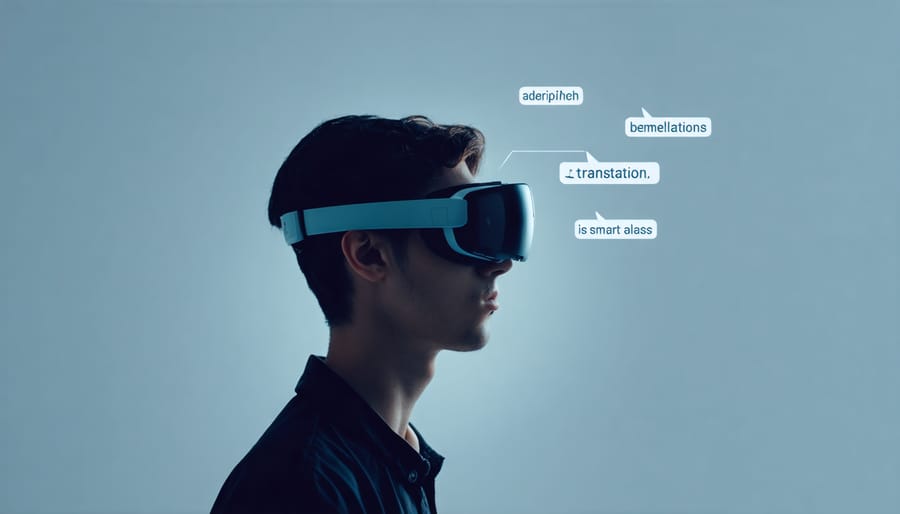
Imagine writing your next article while wearing smart glasses that instantly translate your words into multiple languages. This game-changing AR technology is already helping writers expand their reach globally. Popular models like the ThinkReality A3 Smart Glasses allow you to type in English while seeing real-time translations in languages like French, Spanish, or Mandarin floating right before your eyes.
For Canadian writers working with diverse clients, these AR glasses are particularly valuable. You can draft content in your preferred language while simultaneously reviewing how it reads in your client’s target language. Some models even offer pronunciation guides and cultural context alerts to help you avoid potential translation mishaps.
The Lenovo VizioX and Google Glass Enterprise 2 are leading examples, featuring voice-to-text capabilities and integration with popular writing platforms. These tools can increase your writing efficiency by up to 40% when working on multilingual projects, allowing you to take on more diverse writing assignments with confidence.
Writers report that using these AR glasses has helped them secure international clients and expand their freelance portfolios beyond traditional language barriers.
AR Grammar and Style Overlays
Imagine seeing your writing come alive with real-time grammar and style suggestions floating right before your eyes. AR grammar tools are revolutionizing how freelance writers edit their work, offering an immersive experience that goes beyond traditional spell-checkers.
Apps like Grammarly AR and WriteClear (currently in development) project editing suggestions directly onto your physical writing space, whether you’re working on a computer screen or paper. These overlays highlight potential improvements in grammar, tone, and style as you write, making the editing process more intuitive and efficient.
For example, when you’re crafting client proposals or blog posts, these AR tools can display alternative word choices above your text, show sentence structure improvements with floating arrows, and even suggest tone adjustments with color-coded overlays. Some advanced systems can even visualize readability scores and engagement metrics in real-time.
The technology is particularly helpful for writers working on multiple projects simultaneously, as it allows for quick edits without switching between different software windows. While these tools are still evolving, they represent an exciting step forward in making the writing and editing process more seamless and interactive.
Interactive Writing Environments

3D Mind Mapping Tools
3D mind mapping in augmented reality brings a whole new dimension to brainstorming and organizing your writing ideas. Picture floating bubbles of thoughts that you can grab, move, and connect in mid-air – it’s like having a virtual whiteboard that surrounds you completely. Tools like Spatial Thinking and MindMapper AR let you create expansive idea webs that you can walk through and manipulate with hand gestures.
For freelance writers working remotely, these AR mind mapping solutions integrate seamlessly with popular virtual collaboration tools, making it easy to share your thought processes with clients or writing partners. You can import existing documents, create branching idea trees, and even attach voice notes to your mind map nodes.
The beauty of AR mind mapping lies in its intuitive nature. Instead of being confined to a flat screen, you can arrange your ideas in true three-dimensional space, making connections more visible and memorable. Writers report that this spatial approach to organizing thoughts helps them overcome writer’s block and develop more complex narrative structures.
Popular options like Noda and ThinkSpace AR offer free starter versions, perfect for writers looking to experiment with this technology without a significant investment.
Virtual Writing Spaces
Virtual writing spaces powered by AR technology are revolutionizing how freelance writers work by creating immersive, distraction-free environments. Imagine transforming any space into your ideal writing sanctuary with just a pair of AR glasses. These applications project your work onto any surface while blocking out real-world distractions, helping you maintain focus and boost productivity.
Popular AR writing tools like Focals by North and ThinkReality A3 Smart Glasses let you write anywhere while maintaining awareness of your surroundings. You can customize your virtual workspace with adjustable screen sizes, brightness levels, and even background scenery. Want to write with a mountain view? Or perhaps in a cozy virtual library? These environments are just a tap away.
For collaborative projects, AR writing spaces enable multiple writers to work together in shared virtual environments. You can see each other’s contributions in real-time and maintain natural communication while working on different aspects of the same project.
The best part? These tools are becoming more affordable and accessible. Many writers report increased productivity and creativity when using AR writing spaces, making them a worthwhile investment for serious freelancers looking to optimize their work environment.
Collaborative Writing with AR
Shared Virtual Workspaces
Shared virtual workspaces powered by AR technology are transforming how writers collaborate, making remote work feel more personal and engaging. Platforms like Spatial and Microsoft Mesh allow writers to create virtual meeting rooms where team members appear as customizable avatars, interacting with shared documents and whiteboards as if they were in the same physical space.
Writers can pin virtual sticky notes, organize mind maps, and arrange content boards in a three-dimensional space visible to all participants. This immersive environment is particularly valuable for content teams working on large projects, enabling real-time brainstorming and editorial discussions without geographical limitations.
For example, a magazine’s editorial team can gather in a virtual office, reviewing layouts and discussing article placements while gesturing and moving around 3D representations of their publication. Writers can easily share reference materials, annotate documents in real-time, and provide immediate feedback on each other’s work.
These AR workspaces also support voice chat and screen sharing, combining the best aspects of traditional video conferencing with the advantages of spatial computing. The result is a more natural and productive collaborative environment that helps maintain team cohesion in our increasingly remote writing world.
AR-Enhanced Editorial Feedback
AR-enhanced editorial feedback tools are revolutionizing how writers receive and implement suggestions from editors. Imagine seeing your editor’s comments floating above your manuscript, with arrows pointing directly to areas needing attention. These AR tools allow editors to draw, highlight, and annotate documents in three-dimensional space, making feedback more intuitive and engaging.
Writers can now view editorial marks through their smartphones or AR glasses, getting a clearer picture of suggested revisions. For instance, an editor might create a virtual sticky note that appears when you look at a specific paragraph, complete with detailed explanations and examples. Some platforms even enable real-time collaboration, where writers and editors can discuss changes while viewing the same AR-enhanced document.
The technology also supports visual brainstorming, letting editors sketch out alternative story structures or show exactly how they envision a piece being reorganized. This visual approach is particularly helpful for complex revisions or when working with multiple drafts. For freelancers working remotely, these AR tools bridge the gap between traditional in-person editing sessions and digital feedback, making the revision process more personal and effective.

Getting Started with AR Writing Tools
Getting started with AR writing tools doesn’t have to be overwhelming. As a freelance writer, you can begin by incorporating these innovative technologies alongside your other essential writing tools to enhance your creative process and deliver more engaging content.
Start with user-friendly AR writing apps like Story Spheres or Thyng, which let you create interactive content without extensive technical knowledge. These tools allow you to add virtual elements to your written pieces, making your portfolio stand out to potential clients.
Canadian writer Sarah Mitchell shares her success story: “I began by using simple AR annotations in my travel writing pieces. Clients loved how readers could point their phones at the text and see 3D maps of the locations I described. My income doubled within six months.”
Here’s a practical approach to get started:
1. Choose one AR writing tool and master its basic features
2. Practice creating simple AR overlays for existing articles
3. Start small with interactive elements like pop-up definitions or 3D models
4. Build a sample portfolio piece showcasing your AR capabilities
5. Offer AR writing as a premium service to existing clients
Remember to focus on enhancing your story’s value rather than getting caught up in fancy effects. Many successful writers begin with basic AR features and gradually expand their technical skills as they become more comfortable with the technology.
Consider joining online communities where other writers share their experiences with AR tools. These connections can provide valuable insights and potential collaboration opportunities as you develop your AR writing expertise.
As we’ve explored, augmented reality tools are opening exciting new doors for freelance writers. From enhanced visualization of story elements to improved productivity through AR-assisted research and editing, these technologies are transforming how we approach our craft. The future looks even brighter, with emerging AR applications promising more intuitive writing interfaces, real-time collaboration capabilities, and immersive content creation tools. By embracing these innovations now, you’ll position yourself at the forefront of the writing industry’s evolution. Whether you’re drafting articles, creating content for AR platforms, or exploring new ways to engage readers, the possibilities are limitless. Start small by experimenting with basic AR writing tools, and gradually expand your technological toolkit as your comfort level grows. Remember, staying adaptable and open to new technologies is key to thriving in tomorrow’s writing landscape.