

Picture yourself drowning in scattered Word documents, lost email attachments, and sticky notes with half-remembered client edits. An electronic content management system (ECM) changes everything by organizing your writing projects, client files, and research materials in one searchable digital space. Think of it as your personal assistant that never sleeps, instantly retrieving that interview transcript from three months ago or tracking every revision of your latest article.
For Canadian freelance writers, these systems eliminate the chaos of juggling multiple clients and deadlines. They automatically version-control your drafts, meaning you’ll never accidentally send an outdated manuscript to an editor again. Most platforms let you tag files by client, project type, or keyword, transforming hours of manual searching into seconds of smart filtering. The best part? Many ECM systems integrate directly with popular writing tools you already use, creating a seamless workflow from research to final submission. Whether you’re managing five articles or fifty, these platforms scale with your business, giving you more time to focus on what you do best: crafting compelling stories that connect with readers.
What Electronic Content Management Systems Actually Do (In Plain English)
Think of an electronic content management system as your digital filing cabinet on steroids. Instead of shuffling through folders and sticky notes trying to find that draft you wrote three weeks ago, these systems keep everything organized and accessible with just a few clicks.
Here’s what they actually do for you as a freelance writer. First, they store all your content in one secure place. Every article draft, research note, client brief, and revision lives in a centralized location you can access from anywhere. No more hunting through email attachments or wondering which version is the latest.
Second, they organize your work intelligently. You can tag documents by client, topic, deadline, or status. When you need to find that blog post about sustainable living you wrote last spring, you simply search for it instead of scrolling through hundreds of files.
Third, these systems track versions automatically. Remember when you accidentally saved over your best draft? That won’t happen anymore. Electronic content management systems keep a history of changes, so you can always recover previous versions or see what edits you made.
Fourth, they help you collaborate smoothly. When working with editors or other writers, everyone can access the same document, leave comments, and see updates in real-time. No more confusing email chains with conflicting versions.
Finally, these systems protect your work. They include backup features and security measures that safeguard your content better than saving files on your laptop alone. For freelancers who depend on their writing to earn a living, this peace of mind is invaluable.
The bottom line? Electronic content management systems eliminate the chaos of scattered files and give you more time to focus on what you do best: writing compelling content.
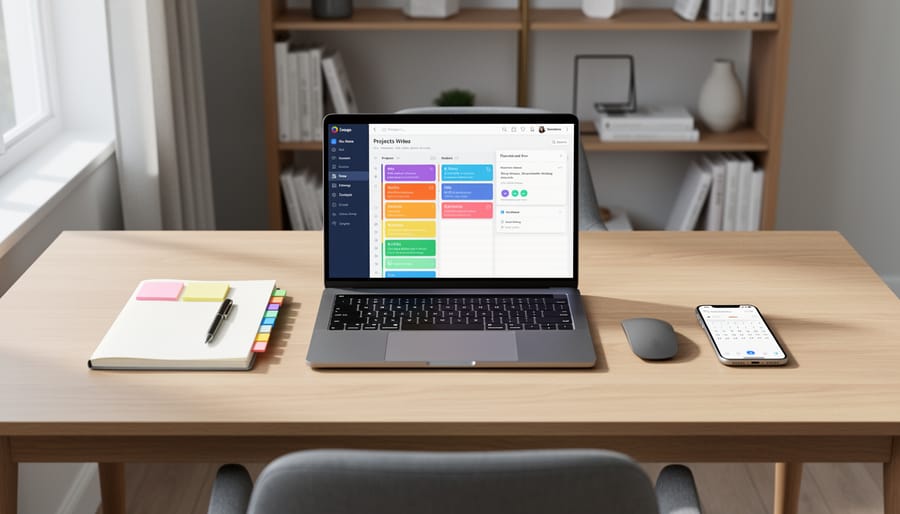
Why Smart Content Generation Platforms Need Strong Management Systems
Think of content generation tools and management systems as perfect creative partners—they need each other to help you succeed as a freelancer. Smart content generation platforms are amazing at helping you draft articles, brainstorm ideas, and speed up your writing process. But without a strong management system backing them up, you’ll quickly face chaos with scattered files, lost versions, and confusion about which draft is which.
This is where electronic content management systems become your organizational hero. They work hand-in-hand with AI writing assistants and template systems by storing everything in one secure place, tracking changes automatically, and making sure you can find any piece of content in seconds. When you generate a client draft using AI tools, your management system immediately organizes it with proper tags, dates, and client folders.
For Canadian freelancers juggling multiple projects, this partnership is transformative. You can focus on the creative work while the management system handles the administrative headaches. One Toronto-based writer shared how pairing her AI writing tool with a solid management system helped her take on 40% more clients without feeling overwhelmed. The generation tools create your content efficiently, and the management system ensures nothing gets lost or forgotten along the way.
Real Benefits for Canadian Freelance Writers
Never Lose a Draft or Client File Again
We’ve all experienced that heart-stopping moment when a file mysteriously vanishes or your computer crashes mid-project. For freelance writers, losing work doesn’t just mean frustration—it can mean missed deadlines and disappointed clients.
Electronic content management systems eliminate this anxiety through automatic cloud storage. Every draft, revision, and client file saves instantly to secure servers, creating multiple backup copies without you lifting a finger. Unlike traditional folders buried on your desktop, these systems organize everything automatically by project, client, or date, making retrieval effortless.
Think of it as having a safety net for your entire writing business. Whether your laptop gets stolen, your hard drive fails, or you accidentally delete something important, your work remains safe and accessible from any device. Many systems also track version history, so you can recover earlier drafts if needed.
Canadian freelancer Maria Rodriguez learned this lesson the hard way after losing three weeks of work to a computer malfunction. After switching to a content management system, she never worried again. “I sleep better knowing my client files are protected,” she says.
These platforms essentially protect your work automatically, letting you focus on writing instead of worrying about backups. That peace of mind is invaluable for building a sustainable freelance career.
Manage Multiple Clients Without the Chaos
When you’re managing three different client projects with overlapping deadlines, staying organized becomes essential to your success. An electronic content management system acts as your digital command center, keeping everything accessible and under control.
These platforms let you create separate workspaces for each client, so you’re never mixing up brand guidelines or accidentally sending the wrong draft to the wrong person. You can tag files by client name, project type, or deadline, making it simple to locate exactly what you need in seconds rather than scrolling through endless folders.
Version control features are particularly valuable here. When Client A requests revisions while you’re finishing Client B’s project, the system automatically saves each draft version. You’ll never lose track of which edits belong to which client or which version you’ve already submitted.
Many freelancers discover that centralized client management reduces their administrative time by up to 40 percent. Instead of juggling multiple email threads and separate storage solutions, everything lives in one searchable place. You can set automated reminders for upcoming deadlines, track which invoices are pending, and maintain a complete project history for each client relationship.
This organized approach doesn’t just reduce stress; it makes you look incredibly professional to current and potential clients, helping you build a reputation for reliability.

Speed Up Your Workflow (And Take On More Work)
Time is money when you’re freelancing, and an electronic content management system can help you reclaim hours every week. Imagine searching through dozens of folders to find that pitch template you used last month—frustrating, right? With organized digital storage and powerful search functions, you can locate any document in seconds, not minutes.
Version control is another game-changer. Instead of juggling files named “Article_Final,” “Article_Final2,” and “Article_ACTUAL_Final,” your system tracks every change automatically. You’ll know exactly which version you sent to which client, eliminating confusion and preventing embarrassing mix-ups.
Templates become even more valuable when they’re easy to access and modify. Store your best-performing pitches, outlines, and formatting structures in one place, then customize them quickly for new projects. This efficiency means you can confidently take on additional assignments without feeling overwhelmed.
Many successful Canadian freelancers report that streamlining their workflow with these systems allowed them to increase their client load by 20-30% without working longer hours. That’s real income growth through smart organization. When administrative tasks shrink from hours to minutes, you free up time for what actually pays—writing great content and building client relationships.
Build Your Professional Portfolio Effortlessly
Imagine having a digital showcase that automatically highlights your strongest pieces without hours of manual sorting. That’s exactly what a good content management system does for you. As you create articles, blog posts, and marketing copy, the system tracks your work, organizing everything by topic, client, or project type. When a potential client asks to see samples of your travel writing or technical content, you can pull up a polished portfolio in seconds instead of frantically searching through folders.
Many successful Canadian freelancers use these systems to create custom portfolio views for different opportunities. Sarah, a Toronto-based writer, landed three new clients last month by quickly sharing targeted portfolios that showcased exactly what each prospect needed to see. The system tagged her work automatically, making it effortless to filter and present her best pieces. This professional presentation builds confidence with clients and saves you valuable time that’s better spent writing and pitching.
What to Look for in a Smart Content Platform
Must-Have Features for Freelancers
When you’re choosing an electronic content management system, you’ll want features that genuinely make your life easier as a freelancer. Think of these as your non-negotiables—the tools that transform chaos into smooth sailing.
First up is robust search functionality. You need to find that pitch from three months ago or that research document from last week in seconds, not hours. The best systems let you search by keywords, dates, client names, or even content within documents. This feature alone can save you countless hours of digging through folders.
Version control is another game-changer. We’ve all been there—frantically trying to remember which file is the final draft or accidentally overwriting hours of work. A solid system automatically tracks every change you make, letting you roll back to previous versions whenever needed. Your peace of mind is worth its weight in gold.
For writers juggling multiple clients or collaborating with editors, collaboration tools are essential. Look for systems that allow seamless sharing, commenting, and real-time editing without the endless email chains. Many successful freelancers report that streamlined collaboration has helped them take on larger, more lucrative projects.
Finally, mobile access keeps you productive wherever inspiration strikes. Whether you’re reviewing client feedback at a coffee shop or uploading fresh content from your tablet, you’ll stay connected to your work without being chained to your desk. Choose a system with reliable mobile apps that sync automatically across all your devices.
Budget-Friendly Options That Actually Work
You don’t need to break the bank to find a reliable content management system. Several platforms offer robust features without the hefty price tag, making them perfect starting points for your freelance writing business.
Google Workspace is an excellent free option that many Canadian writers already use. Google Docs combined with Google Drive provides version control, real-time collaboration, and generous storage space. One Montreal-based writer shared how she manages content for five different clients using nothing but shared Google Drive folders and a simple naming convention.
Notion offers a free personal plan that’s surprisingly powerful for organizing writing projects, tracking deadlines, and storing research. Its flexibility means you can create custom workflows that match your unique process without paying for features you won’t use.
For writers handling multiple client projects, Trello’s free tier provides visual project management and content calendar capabilities. Toronto freelancer James Martinez credits Trello with helping him land recurring contracts because clients appreciate his organized approach.
WordPress.com also deserves mention for its free blogging and basic content management features. While it has limitations, it’s perfect for building your portfolio and understanding content management fundamentals before upgrading to premium options. The key is starting with what works for your current needs and scaling up as your business grows.
Success Story: How Sarah Doubled Her Client Load
Sarah Chen, a Toronto-based freelance writer, found herself stuck at a frustrating plateau two years ago. She was working long hours but couldn’t take on more than six clients at a time because her files were scattered across her laptop, email, and various cloud folders. Finding past articles, tracking revisions, and managing feedback felt like a part-time job itself.
Everything changed when Sarah adopted an electronic content management system designed for writers. She chose a platform that organized all her projects in one searchable location, automatically tracked versions, and allowed clients to leave comments directly on drafts. Within three months, she noticed something remarkable: she was spending two hours less per day just looking for files and organizing feedback.
The real transformation happened over the next year. With her streamlined workflow, Sarah gradually increased her client roster from six to twelve steady clients. Her income doubled, but more importantly, her stress levels dropped significantly. She could finally take weekends off without worrying about losing track of project details.
Sarah’s biggest lesson? Don’t wait until you’re overwhelmed to get organized. She recommends starting with a content management system early in your freelance journey, even if you only have two or three clients. The time you save compounds quickly, and that efficiency becomes your competitive advantage. Today, Sarah mentors other Canadian freelance writers, and her first piece of advice is always about setting up proper content management from day one.

Getting Started Without Feeling Overwhelmed
Taking your first steps with an electronic content management system doesn’t have to feel daunting. Start small by simply exploring one platform with a free trial. Spend just fifteen minutes uploading a few recent articles and organizing them into basic folders. That’s it for day one.
Many Canadian freelancers who now swear by these systems felt the same hesitation you might be experiencing. Sarah, a Toronto-based writer, admits she avoided technology for years but found her system intuitive within a week. The key is giving yourself permission to learn gradually.
Begin with the most basic features: file storage and simple search functions. Once you’re comfortable, add one new skill each week, whether that’s tagging documents or using templates. Most platforms offer video tutorials specifically designed for non-technical users, breaking everything down into manageable chunks.
Remember, you don’t need to master every feature to benefit from an electronic content management system. Even using it as a centralized storage space immediately saves time and reduces stress. The learning curve is gentler than you think, and the productivity gains start showing up almost immediately. You’ve already mastered the craft of writing; this is simply a tool to showcase your talent more effectively.
Electronic content management systems aren’t mysterious black boxes reserved for tech experts. They’re practical, user-friendly tools designed to make your freelance writing life easier, not more complicated. Whether you’re just starting out or you’ve been freelancing for years, these systems can help you stay organized, meet deadlines consistently, and focus more energy on the creative work you love.
The beauty of modern platforms is that they do the heavy lifting behind the scenes while you maintain control of your content. You don’t need a computer science degree to benefit from features like automated file organization, version tracking, or collaborative workflows. These tools adapt to your process, not the other way around.
Remember, every successful freelancer you admire started somewhere, and many discovered that embracing smart technology gave them the competitive edge they needed. The investment of time to explore and adopt an electronic content management system pays dividends in reduced stress, better client relationships, and ultimately, a more sustainable writing career.
Take that first step today. Explore the platforms available, try free trials, and see firsthand how these systems can transform your workflow. Your future self will thank you for making organization and efficiency priorities now.